Assistant Cortex Marketplace
Explore applications and AI abilities to enhance your Assistant Cortex experience.
Application Modules
Application modules add new links into the main menu of Assistant Cortex and always include some kind of user interface. Each application adds a unique feature to Assistant Cortex making it a more powerful application.

Song Creator
Audio & Music
Compose full length songs with AI. Write or generate lyrics, choose a musical
style, and produce a finished track complete with cover art. Share your best
work to the public Explore feed or ke…
Compose full length songs with AI. Write or generate lyrics, choose a musical
style, and produce a finished track complete with cover art. Share your best
work to the public Explore feed or keep it private in your personal Library.
Main Features
Explore: Browse your songs alongside tracks shared publicly by other creators
Create: Enter a title, lyrics (or generate them), and a style to produce a song
Library: Every song you have created, in one private place
Share & Like: Toggle songs public and like the tracks you enjoy
Extend: Build a follow-up part from an existing song
What Each Record Contains
Song: Title, lyrics, musical style, and whether it is instrumental
Media: The generated audio track and an AI-generated cover image
Social: Public/shared status, like count, and part relationships
Access Levels
View Songs: Can browse Explore and Library and like songs
Create Songs: Can generate new songs and lyrics
Manage Songs: Can delete songs and change their public status
- Explore: Browse your songs alongside tracks shared publicly by other creators
- Create: Enter a title, lyrics (or generate them), and a style to produce a song
- Library: Every song you have created, in one private place
- Share & Like: Toggle songs public and like the tracks you enjoy
- Extend: Build a follow-up part from an existing song

Sound Studio
Audio & Music
Audio generation and management application for creating, storing, and organizing sound files with text-to-speech, music generation, and custom voice capabilities for AI agents and applications.
…
Audio generation and management application for creating, storing, and organizing sound files with text-to-speech, music generation, and custom voice capabilities for AI agents and applications.
Main Functions
Text-to-Speech: Generate audio from text using various voices
Audio Generation: Create music, sound effects, and audio content
Speech Recognition: Transcribe audio to text
Sound File Management: Store, organize, and manage audio files
Custom Voices: Create and use custom voice samples
Lyrics Generation: Generate song lyrics with specific themes and styles
Audio Playback: Listen to generated audio files
File Download: Download audio files for external use
Text-to-Speech Features
Multiple Voices: Choose from various TTS voices and accents
Custom Voice Samples: Use user-created voice samples
Streaming Output: Stream audio generation in real-time
Batch Generation: Generate multiple audio files at once
Voice Quality Control: Adjust generation parameters for quality
Audio Generation Features
Music Generation: Create original music compositions
Sound Effects: Generate custom sound effects
Lyrics Generation: Create song lyrics with AI assistance
Genre Control: Specify musical genres and styles
Audio Format Support: Generate in various audio formats (WAV, MP3, etc.)
Sound File Management
File Storage: Store generated audio files with metadata
Labeling: Assign custom labels to audio files
Search & Filter: Find audio files by label, type, or date
File Deletion: Remove unwanted audio files
File Download: Download audio files for external use
Speech Recognition
Audio Transcription: Convert speech to text automatically
Multiple Formats: Support for various audio file formats
Text Output: Get transcribed text with timestamps
ACL Permissions
Text to Speech: Generate audio from text
Automatic Speech Recognition: Transcribe audio to text
Audio Generation: Create music and sound effects
Generate Lyrics: Generate song lyrics
Manage Sound Files: Organize and manage audio files
- Text-to-Speech: Generate audio from text using various voices
- Audio Generation: Create music, sound effects, and audio content
- Speech Recognition: Transcribe audio to text
- Sound File Management: Store, organize, and manage audio files
- Custom Voices: Create and use custom voice samples

Payments
Billing & Accounting
An Authorize.NET payments console. Run a virtual terminal, manage CIM
customer profiles, and review transactions, all behind a pluggable payment
gateway.
Main Features
Virtual T…
An Authorize.NET payments console. Run a virtual terminal, manage CIM
customer profiles, and review transactions, all behind a pluggable payment
gateway.
Main Features
Virtual Terminal: Charge a card or a saved profile directly
Customer Profiles: Create and manage CIM customers and payment profiles
Transaction Reporting: Search and review captures, charges, and refunds
Refunds & Captures: Capture authorizations and issue refunds
Access Levels
View Access: Can review customers and transactions
Manage Access: Can charge cards, create profiles, and issue refunds
- Virtual Terminal: Charge a card or a saved profile directly
- Customer Profiles: Create and manage CIM customers and payment profiles
- Transaction Reporting: Search and review captures, charges, and refunds
- Refunds & Captures: Capture authorizations and issue refunds
- View Access: Can review customers and transactions

Phone Numbers ⇄ Billing & Usage
Billing & Accounting
Bridge the Phone Numbers and Usage & Billing applications. Every phone
call, provisioned number and outbound text message is metered and debited
from the owning user's usage balance, and t…
Bridge the Phone Numbers and Usage & Billing applications. Every phone
call, provisioned number and outbound text message is metered and debited
from the owning user's usage balance, and the billing overview gains phone
usage charts — without any new pages or menu items.
Main Features
Call Metering: Bills each completed call per started minute, keyed to the number's owner
Number Fees: Charges a one-time setup fee and opens a monthly recurring service when a number is provisioned
Message Metering: Bills each outbound SMS/MMS sent through the Telnyx provider
Usage Charts: Injects call minutes, message counts, active numbers and spend charts into the billing overview
Configurable Rates: Per-minute, setup, monthly, yearly and per-message prices are set on this application's card
How It Works
Hooks the Phone Numbers call finalization, number provisioning and SMS send methods — it owns no data of its own
Charges and recurring services are written through the Usage & Billing service, so they appear in its ledger and balance
In per-user billing mode charts show the signed-in user's phone usage; in system mode they show the whole instance
Access Levels
View phone usage: Allowed to see the phone usage charts on the billing overview
- Call Metering: Bills each completed call per started minute, keyed to the number's owner
- Number Fees: Charges a one-time setup fee and opens a monthly recurring service when a number is provisioned
- Message Metering: Bills each outbound SMS/MMS sent through the Telnyx provider
- Usage Charts: Injects call minutes, message counts, active numbers and spend charts into the billing overview
- Configurable Rates: Per-minute, setup, monthly, yearly and per-message prices are set on this application's card

Employee Manager
Business and Enterprise
A complete workforce management application. Define employee types, keep employee records linked to platform users, build location coverage schedules, run the time clock, process payroll, and track pa…
A complete workforce management application. Define employee types, keep employee records linked to platform users, build location coverage schedules, run the time clock, process payroll, and track paid time off — all in one place.
Main Features
Employee Types: Define roles with default pay treatment and colors
Employee Records: Link employees to users, types, and locations
Coverage Schedule Builder: Design a week of colored coverage blocks per location and auto-build shifts
Time Clock: Employees clock in and out; managers adjust records
Payroll: Calculate paychecks from hours worked or salary
Paid Time Off: Accrue PTO and sick time and manage holidays
What Each Record Contains
Employee: Linked user, type, location, hire date, pay type and rate, encrypted SSN, work calendar
Coverage Block: Day, start and end time, required employee type and count
Time Clock Entry: Clock in, clock out, break minutes, and worked time
Paycheck: Regular, overtime, PTO, and holiday hours with gross pay
PTO Policy: Leave type, accrual strategy, rate, caps, and tenure tiers
Integrations
Location Manager: Coverage schedules are built for your defined locations
Personal Calendar: Each employee gets a work-hours calendar that approved shifts and time off are pushed to
Access Levels
View Access: Employee types, employees, schedules, time clock, payroll, and time off can each be viewed
Manage Access: Separate manage permissions control edits to each area
Manage Time Clock: Grants a manager the ability to list and edit every employee's time clock records
Employee Group: Users placed in the "Employee" group automatically get an employee record and a work calendar
- Employee Types: Define roles with default pay treatment and colors
- Employee Records: Link employees to users, types, and locations
- Coverage Schedule Builder: Design a week of colored coverage blocks per location and auto-build shifts
- Time Clock: Employees clock in and out; managers adjust records
- Payroll: Calculate paychecks from hours worked or salary

Communications
Communication
A human-in-the-middle workspace for handling email and text messaging.
Draft, review, and edit AI-assisted responses before they are sent, keeping
a person in control of every outbound message…
A human-in-the-middle workspace for handling email and text messaging.
Draft, review, and edit AI-assisted responses before they are sent, keeping
a person in control of every outbound message.
Main Features
Unified Inbox: Review incoming email and messages in one place
AI Drafting: Generate suggested replies for review
Draft Editing: Refine and approve responses before sending
Settings: Configure channels and response behaviour
Access Levels
View Access: Can read communications and drafts
Manage Access: Can edit, approve, and send responses
- Unified Inbox: Review incoming email and messages in one place
- AI Drafting: Generate suggested replies for review
- Draft Editing: Refine and approve responses before sending
- Settings: Configure channels and response behaviour
- View Access: Can read communications and drafts

Email Accounts
Communication
A comprehensive email management application that connects to your email accounts. View your inbox, read messages, manage attachments, and organize your emails through a clean, intuitive interface.
…
A comprehensive email management application that connects to your email accounts. View your inbox, read messages, manage attachments, and organize your emails through a clean, intuitive interface.
Main Features
Email Inbox: View all received messages in one place
Message Reading: Read full email content with formatting
Attachment Handling: View and download email attachments
Multiple Accounts: Connect and manage multiple email accounts
Search: Find specific emails quickly
Email Viewing
The application provides:
Complete email list with sender, subject, and date
Full email content with formatting preserved
Attachment preview and download options
Unread message indicators
Search and Filter
Search by sender name or email address
Search by subject line
Search within email content
Filter by date range
Filter by read/unread status
Access Levels
View Access: Can read emails and view attachments
Send Access: Can compose and send new emails
- Email Inbox: View all received messages in one place
- Message Reading: Read full email content with formatting
- Attachment Handling: View and download email attachments
- Multiple Accounts: Connect and manage multiple email accounts
- Search: Find specific emails quickly

Phone Numbers
Communication
A phone system management application that provides control over PSTN (Public Switched Telephone Network) operations. Make calls, send SMS messages, and manage phone communications through a clean int…
A phone system management application that provides control over PSTN (Public Switched Telephone Network) operations. Make calls, send SMS messages, and manage phone communications through a clean interface.
Main Features
Call Management: View and control active phone calls
SMS Messaging: Send and manage text messages
Phone Number Management: View and manage phone numbers
Call Control: Answer, transfer, and end calls
Call Features
The application provides:
Active call monitoring and status
Call control options (answer, hangup, transfer)
Call recording capabilities
Audio playback during calls
SMS Features
SMS capabilities include:
Send text messages to any number
View message history
Track delivery status
Phone Number Management
View available phone numbers
Manage number assignments
Configure number routing
Access Levels
View Access: Can see call status and message history
Manage Access: Can make calls, send messages, and control communications
- Call Management: View and control active phone calls
- SMS Messaging: Send and manage text messages
- Phone Number Management: View and manage phone numbers
- Call Control: Answer, transfer, and end calls
- Active call monitoring and status

Zoom Meetings
Communication
One home for Zoom. Administrators connect a system wide Zoom account, users can connect their own, and every other application that needs a video link, from availability booking links to sales demos a…
One home for Zoom. Administrators connect a system wide Zoom account, users can connect their own, and every other application that needs a video link, from availability booking links to sales demos and recruiting interviews, creates its meetings through the same shared service.
Main Features
System Accounts: Zoom server-to-server OAuth apps every user falls back to
Personal Accounts: A user's own Zoom app, used ahead of the system account
Verified on Save: Credentials are checked against Zoom before they are stored
Meetings: Schedule, move, list and cancel meetings from the Meetings tab
Shared Service: Other applications attach Zoom meetings without holding credentials
Each Account Holds
A label and the Zoom account ID
The OAuth client ID and client secret (kept in Vault)
The Zoom user meetings are created for
Whether it is enabled and the owner's default
When it was last verified and the last error, if any
Access Levels
View System Zoom Accounts: Can see the system wide accounts
Manage System Zoom Accounts: Can add, verify, edit and remove system wide accounts
Manage Own Zoom Accounts: Can connect and remove personal accounts
Manage Zoom Meetings: Can schedule, move and cancel meetings
- System Accounts: Zoom server-to-server OAuth apps every user falls back to
- Personal Accounts: A user's own Zoom app, used ahead of the system account
- Verified on Save: Credentials are checked against Zoom before they are stored
- Meetings: Schedule, move, list and cancel meetings from the Meetings tab
- Shared Service: Other applications attach Zoom meetings without holding credentials

Visual Workshop
Creative & Design
Comprehensive AI-powered creative platform for generating, editing, and managing images, videos, and 3D models with advanced features including custom LoRA adapters, prompt enhancement, and a complete…
Comprehensive AI-powered creative platform for generating, editing, and managing images, videos, and 3D models with advanced features including custom LoRA adapters, prompt enhancement, and a complete media library management system.
Main Functions
Image Generation: Create images from text prompts using AI models
Video Generation: Generate videos from text prompts or image sequences
3D Model Generation: Create 3D models (meshes) from text descriptions or images
Media Library: Manage and organize all generated media in a centralized gallery
Custom LoRA: Create and apply custom LoRA adapters for specialized generation
Prompt Enhancement: Extend and mutate prompts using AI for better results
Image Processing: Apply various image processing techniques like edge detection and depth maps
Image Tagging: Organize media with custom tags
Batch Generation: Generate multiple variations of images, videos, or 3D models
Image Generation Features
Text-to-Image: Generate images from descriptive text prompts
Image-to-Image: Generate images based on uploaded reference images
Multiple Models: Choose from various AI image generation models
Generation Parameters: Control height, width, steps, guidance scale, and seed
Negative Prompts: Specify what to exclude from generated images
Multiple Generations: Create several variations at once
Custom LoRA Support: Apply custom LoRA adapters for specialized styles
Progress Tracking: Monitor generation progress in real-time
Video Generation Features
Text-to-Video: Generate videos from text descriptions
Multi-Segment Videos: Create videos with multiple segments and transitions
Control Videos: Use reference videos to guide generation
Start/End Frames: Specify start and end frames for controlled generation
Video Settings: Control FPS, quality, resolution, and duration
Guidance Scale: Adjust how closely the video follows the prompt
Step Control: Define the number of generation steps
Seed Control: Use specific seeds for reproducible results
3D Model Generation Features
Text-to-3D: Generate 3D models from text descriptions
Image-to-3D: Create 3D models from reference images
Multiple Prompt Images: Use multiple images for better 3D reconstruction
Resolution Control: Adjust OCRTree resolution for detail level
Face Limit: Control the maximum number of faces in the mesh
Texture Options: Apply textures to generated 3D models
Background Removal: Automatically remove backgrounds from input images
Auto-Size: Automatically scale generated models
PBR Textures: Apply physically-based rendering textures
Output Format: Export models in GLB format
Custom LoRA Adapters
Add Custom LoRA: Import custom LoRA adapters from Hugging Face
LoRA Management: View, enable, and disable custom LoRA models
Provider Selection: Specify the provider for each LoRA adapter
Model Association: Link LoRA adapters to specific base models
Automatic Download: Automatically download LoRA models when added
LoRA Deletion: Remove custom LoRA adapters when no longer needed
Prompt Enhancement
Prompt Extend: Automatically expand and enhance prompts using AI
Prompt Mutate: Create variations of existing prompts
Smart Suggestions: Get AI-powered suggestions for better prompts
Prompt Optimization: Improve prompt quality for better generation results
Image Processing Tools
Depth Map Generation: Create depth maps from images
Edge Detection: Apply Canny edge detection for outline extraction
Edge Threshold Control: Adjust minimum and maximum thresholds for edge detection
Image Conversion: Convert images between different processing formats
Media Library Management
View Gallery: Browse all generated images, videos, and 3D models
Media Organization: Organize media by type, model, or custom criteria
Tagging System: Add custom tags to media for easy searching
Batch Tagging: Apply tags to multiple media items at once
Media Deletion: Remove unwanted media from the library
Thumbnail Preview: View thumbnails for quick browsing
Metadata Display: View generation parameters and model information
User-Specific Library: Each user has their own private media library
Generation Controls
Stop Generation: Cancel ongoing image, video, or 3D model generation
Progress Monitoring: Visual progress bars for all generation tasks
Seed Control: Use specific seeds for reproducible results
Parameter Tuning: Fine-tune generation parameters for optimal results
Batch Processing: Generate multiple items simultaneously
User Interface Features
Media Gallery: Visual grid display of all generated media
Generation Interface: User-friendly forms for configuring generation
Progress Indicators: Real-time progress bars for all tasks
Model Selection: Easy dropdown selection of available models
Custom LoRA Manager: Dedicated interface for managing LoRA adapters
Image Upload: Drag-and-drop or file selection for uploading images
Tag Management: Visual tag editing and management
Preview Thumbnails: Quick preview of generated media
ACL Permissions
View Gallery: Browse the media library
Generate Images: Create images using AI models
Generate Videos: Create videos using AI models
Generate 3D Models: Create 3D models using AI
Process Images: Apply image processing techniques
Manage Media Library: Organize, tag, and delete media
Manage Custom LoRA: Create and manage custom LoRA adapters
- Image Generation: Create images from text prompts using AI models
- Video Generation: Generate videos from text prompts or image sequences
- 3D Model Generation: Create 3D models (meshes) from text descriptions or images
- Media Library: Manage and organize all generated media in a centralized gallery
- Custom LoRA: Create and apply custom LoRA adapters for specialized generation
MCP Client
Custom Integrations
Connect the assistant to external Model Context Protocol (MCP) servers.
Register servers, browse the tools they expose, and make those tools
available to the AI as routable abilities.
…
Connect the assistant to external Model Context Protocol (MCP) servers.
Register servers, browse the tools they expose, and make those tools
available to the AI as routable abilities.
Main Features
Server Management: Add, edit, and remove MCP server connections
Tool Discovery: Inspect the tools and schemas each server provides
STDIO & Remote: Connect to local stdio servers or remote endpoints
Connection Logs: Review request and response activity per server
Access Levels
View Access: Can browse configured servers and their tools
Manage Access: Can add, configure, and remove MCP servers
- Server Management: Add, edit, and remove MCP server connections
- Tool Discovery: Inspect the tools and schemas each server provides
- STDIO & Remote: Connect to local stdio servers or remote endpoints
- Connection Logs: Review request and response activity per server
- View Access: Can browse configured servers and their tools

MCP Server
Custom Integrations
Model Context Protocol (MCP) Server management application for creating, configuring, and monitoring MCP servers that expose Assistant Cortex chat abilities as MCP tools for external applications.
…
Model Context Protocol (MCP) Server management application for creating, configuring, and monitoring MCP servers that expose Assistant Cortex chat abilities as MCP tools for external applications.
Main Functions
Add MCP Server: Create a new MCP server with custom configuration
Edit Server: Modify existing server settings, tools, and authentication
Delete Server: Remove an MCP server from the system
Enable/Disable: Toggle server availability without deleting configuration
Tool Selection: Choose which chat abilities to expose as MCP tools
View Logs: Monitor server activity and tool execution history
Server Configuration
Name: Unique identifier for the MCP server
Description: Optional description explaining the server's purpose
Bearer Token: Authentication token for secure access (optional)
Enabled Status: Control whether the server is active and accepting connections
Tool Management
Available Tools: Browse all available chat abilities that can be exposed
Tool Selection: Toggle individual tools on/off for each server
Tool Icons: Visual indicators for each tool capability
Custom Tool Sets: Create different tool combinations for different use cases
Server Logs
Log Viewing: Browse all tool execution logs for a specific server
Filter by Level: Filter logs by severity level (INFO, WARN, ERROR)
Tool Context: See which tool was executed and with what arguments
Session Tracking: Monitor individual session activity
Timestamp Information: Track when each operation occurred
Result Monitoring: View the results of tool executions
Security Features
Bearer Token Authentication: Optional token-based authentication for server access
Server Status Control: Disable servers to prevent unauthorized access
Tool-Level Permissions: Control which abilities are exposed through each server
User Interface Features
Card-Based Layout: Visual card display for each configured server
Status Indicators: Color-coded tags showing enabled/disabled status
Tool Icons: Visual representation of available and selected tools
Interactive Forms: Easy-to-use forms for creating and editing servers
Accordion View: Collapsible sections for tool selection
Table View: Detailed log viewing with pagination and filtering
ACL Permissions
View Servers: View configured MCP servers and their status
Manage Servers: Create, edit, and delete MCP servers
View Logs: View server logs and tool execution history
List Tools: Browse available tools that can be added to servers
- Add MCP Server: Create a new MCP server with custom configuration
- Edit Server: Modify existing server settings, tools, and authentication
- Delete Server: Remove an MCP server from the system
- Enable/Disable: Toggle server availability without deleting configuration
- Tool Selection: Choose which chat abilities to expose as MCP tools
Evaluation ⇄ Tests
Data & Analytics
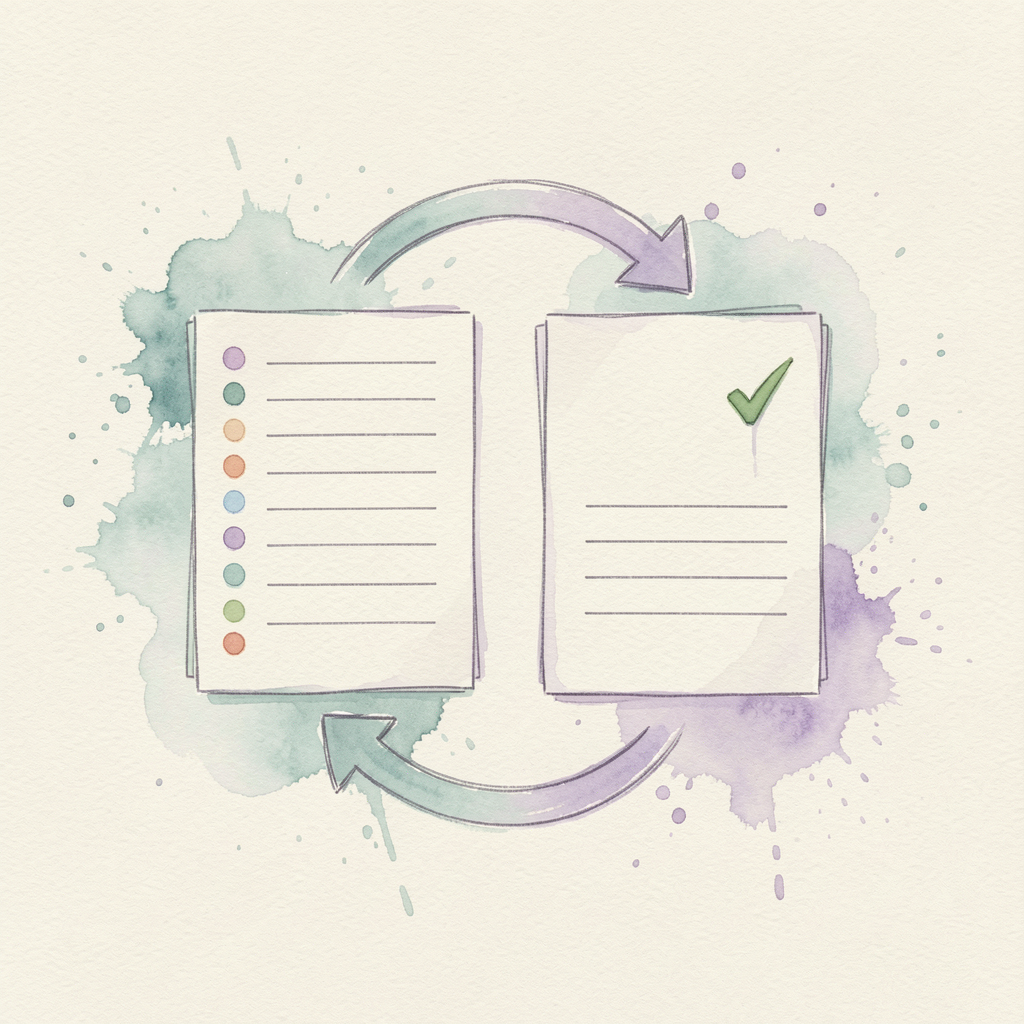
Bridge the Evaluations and Test Creator applications. Turn an authored test
set into a runnable evaluation, or turn an evaluation's test cases into a
new test set — without leaving the edito…
Bridge the Evaluations and Test Creator applications. Turn an authored test
set into a runnable evaluation, or turn an evaluation's test cases into a
new test set — without leaving the editor you are already in.
Main Features
Convert to Evaluation: A test's questions become an evaluation's test cases (question → input, answer → expected)
Convert to Test: An evaluation's test cases become a test's questions (input → question, expected → answer)
Injected Actions: Adds a button to the Test Creator and Evaluations editors — no extra menu item or page
Smart Type Mapping: Infers multiple-choice vs. similarity grading from the source record, with an override in the dialog
How It Works
Reads and writes only through the Evaluations and Test Creator services — it owns no data of its own
The new record is created fresh; the source test or evaluation is left untouched
Access Levels
Convert to Evaluation: Allowed to create an evaluation from a test
Convert to Test: Allowed to create a test from an evaluation
- Convert to Evaluation: A test's questions become an evaluation's test cases (question → input, answer → expected)
- Convert to Test: An evaluation's test cases become a test's questions (input → question, expected → answer)
- Injected Actions: Adds a button to the Test Creator and Evaluations editors — no extra menu item or page
- Smart Type Mapping: Infers multiple-choice vs. similarity grading from the source record, with an override in the dialog
- Reads and writes only through the Evaluations and Test Creator services — it owns no data of its own
Evaluations
Data & Analytics
Design, run, and review evaluations of language models. Build test cases,
execute batched runs against one or more models, and analyze the results
from an API and UI editor.
Main Featu…
Design, run, and review evaluations of language models. Build test cases,
execute batched runs against one or more models, and analyze the results
from an API and UI editor.
Main Features
Evaluation Editor: Create evaluations and add test cases
Batched Runs: Execute multi-shot runs across models
Automation: Schedule automated evaluation runs
Results & Benchmarks: Track scores, progress, and run history
Access Levels
View Access: Can browse evaluations and run results
Manage Access: Can create evaluations, run them, and edit test cases
- Evaluation Editor: Create evaluations and add test cases
- Batched Runs: Execute multi-shot runs across models
- Automation: Schedule automated evaluation runs
- Results & Benchmarks: Track scores, progress, and run history
- View Access: Can browse evaluations and run results

Commerce Customers
E-Commerce & Retail
A customer directory for your commerce workspace. Maintain customer
records with contact details, company, billing and shipping addresses,
and notes. Extracted from the Commerce Suite so other…
A customer directory for your commerce workspace. Maintain customer
records with contact details, company, billing and shipping addresses,
and notes. Extracted from the Commerce Suite so other commerce modules
can share the same customer data.
Main Features
Customer Records: Create, edit, and delete customers
Search & Filter: Filter by name, email, company, and phone
Addresses: Store billing and shipping addresses per customer
Notes: Keep free-form notes on every customer
Each Customer Record Contains
Contact: First name, last name, email, and phone
Company: Optional company name
Addresses: Billing and shipping address details
Notes: Free-form notes
Access Levels
View Customers: Can browse and search customer records
Edit Customers: Can create, edit, and delete customer records
- Customer Records: Create, edit, and delete customers
- Search & Filter: Filter by name, email, company, and phone
- Addresses: Store billing and shipping addresses per customer
- Notes: Keep free-form notes on every customer
- Contact: First name, last name, email, and phone

Commerce Invoices
E-Commerce & Retail
Manage the invoices generated by your commerce checkout flows. Browse,
filter and sort invoice records, review line items and payment details,
update invoice status, and remove records you no …
Manage the invoices generated by your commerce checkout flows. Browse,
filter and sort invoice records, review line items and payment details,
update invoice status, and remove records you no longer need.
Main Features
Invoice List: Filterable, sortable, paged grid of invoices
Detail View: Line items, totals, amount paid and transaction info
Status Management: Mark invoices open, paid, void or refunded
Extensible Grid: Other modules can inject row actions (e.g. a Pay button)
Each Invoice Contains
Identity: Invoice number, related order and customer
Amounts: Line items, subtotal, tax, grand total and amount paid
Payment: Gateway and transaction id when paid
Dates: Issued, created and updated timestamps
Access Levels
View Invoices: Can browse and review invoice records
Edit Invoices: Can update invoice status and delete records
- Invoice List: Filterable, sortable, paged grid of invoices
- Detail View: Line items, totals, amount paid and transaction info
- Status Management: Mark invoices open, paid, void or refunded
- Extensible Grid: Other modules can inject row actions (e.g. a Pay button)
- Identity: Invoice number, related order and customer

Commerce Orders
E-Commerce & Retail
Manage customer orders. Review order history with line items, totals, and
payment details, update order status as fulfillment progresses, and remove
orders that were created in error.
…
Manage customer orders. Review order history with line items, totals, and
payment details, update order status as fulfillment progresses, and remove
orders that were created in error.
Main Features
Order List: Filter, sort, and page through every order
Order Detail: Inspect line items, totals, and payment info
Status Updates: Move orders through pending, processing, complete, cancelled, or refunded
Cleanup: Delete orders you no longer need
What Each Order Contains
Order Number: Unique reference for the purchase
Line Items: Products/services with quantity and unit price
Totals: Subtotal, tax, discount, shipping, and grand total
Billing & Payment: Billing address and gateway transaction details
Access Levels
View Orders: Can browse orders and order details
Edit Orders: Can update order status and delete orders
- Order List: Filter, sort, and page through every order
- Order Detail: Inspect line items, totals, and payment info
- Status Updates: Move orders through pending, processing, complete, cancelled, or refunded
- Cleanup: Delete orders you no longer need
- Order Number: Unique reference for the purchase

Commerce Products
E-Commerce & Retail
Manage your product and service catalog. Create and maintain SKUs, prices,
tax rates, categories, images and availability — the catalog every other
commerce module builds on.
Main Fe…
Manage your product and service catalog. Create and maintain SKUs, prices,
tax rates, categories, images and availability — the catalog every other
commerce module builds on.
Main Features
Catalog: Create, edit, and delete products and services
Pricing: Set unit prices and per-product tax rates
Organization: Assign categories and custom attributes
Availability: Toggle products active or inactive
What Each Record Contains
Identity: Name, SKU, and description
Type: Physical product or service
Pricing: Unit price and tax rate
Extras: Category, image URL, and custom attributes
Access Levels
View Products: Can browse and search the catalog
Edit Products: Can create, edit, and delete catalog entries
- Catalog: Create, edit, and delete products and services
- Pricing: Set unit prices and per-product tax rates
- Organization: Assign categories and custom attributes
- Availability: Toggle products active or inactive
- Identity: Name, SKU, and description

Commerce Suite
E-Commerce & Retail
The commerce core. Run a store, organize categories, build quotes, and
check out through any configured payment gateway. Products, customers,
orders, and invoices are managed by their own dedi…
The commerce core. Run a store, organize categories, build quotes, and
check out through any configured payment gateway. Products, customers,
orders, and invoices are managed by their own dedicated commerce modules,
and the suite ties them together at checkout and invoice payment.
Main Features
Store Checkout: Build a cart and check out through any payment gateway
Categories: Organize the catalog provided by the Commerce Products module
Quotes: Build quotes and convert them to orders at checkout
Invoice Payment: Collect payment on invoices raised by the Commerce Invoices module
Payment Gateways: Gateway-agnostic abstraction that processor modules plug into
Works With
Commerce Products: Product and service catalog
Commerce Customers: Customer records
Commerce Orders: Orders created by store checkout
Commerce Invoices: Invoices created and paid through the suite
Access Levels
View Access: Can browse categories and quotes
Manage Access: Can edit categories and quotes and process checkout
- Store Checkout: Build a cart and check out through any payment gateway
- Categories: Organize the catalog provided by the Commerce Products module
- Quotes: Build quotes and convert them to orders at checkout
- Invoice Payment: Collect payment on invoices raised by the Commerce Invoices module
- Payment Gateways: Gateway-agnostic abstraction that processor modules plug into

Test Creator
Education and Learning
Create and edit test sets that grade with vector-similarity or
multiple-choice scoring. Generate questions from source material, assign
tests to users, and review attempts and results.
…
Create and edit test sets that grade with vector-similarity or
multiple-choice scoring. Generate questions from source material, assign
tests to users, and review attempts and results.
Main Features
Test Authoring: Build tests with multiple-choice and open-response questions
AI Generation: Extract and draft questions from provided content
Similarity Grading: Score free-text answers by embedding similarity
Assignments & Attempts: Assign tests and track each attempt and grade
Access Levels
View Access: Can take assigned tests and review own results
Manage Access: Can create tests, assign them, and grade attempts
- Test Authoring: Build tests with multiple-choice and open-response questions
- AI Generation: Extract and draft questions from provided content
- Similarity Grading: Score free-text answers by embedding similarity
- Assignments & Attempts: Assign tests and track each attempt and grade
- View Access: Can take assigned tests and review own results

LLM Abilities
Generative AI
Build multi-shot, formatted-response abilities from prompt templates and
expose them as routable AI abilities. Design the prompt flow, shape the
output, and publish it for the assistant to cal…
Build multi-shot, formatted-response abilities from prompt templates and
expose them as routable AI abilities. Design the prompt flow, shape the
output, and publish it for the assistant to call.
Main Features
Ability Builder: Compose multi-shot prompts with a guided editor
Formatted Output: Render results through Handlebars HTML templates
Tagging: Organize chats and abilities with a tag tree
Routable Abilities: Save a flow as an ability the AI can route to
Access Levels
View Access: Can browse and run published abilities
Manage Access: Can create, edit, and publish abilities
- Ability Builder: Compose multi-shot prompts with a guided editor
- Formatted Output: Render results through Handlebars HTML templates
- Tagging: Organize chats and abilities with a tag tree
- Routable Abilities: Save a flow as an ability the AI can route to
- View Access: Can browse and run published abilities

Dataset Lab
Image & Photography
Dataset Lab turns a handful of reference images into a rich, labelled training set. Choose whether your subject is a person or an object, upload your images, then let the lab mutate the subject across…
Dataset Lab turns a handful of reference images into a rich, labelled training set. Choose whether your subject is a person or an object, upload your images, then let the lab mutate the subject across dozens of poses, expressions, outfits and personas. Curate the best results, restyle them into new artistic mediums, and export the final selection as a ready-to-use dataset.
Four-Step Workflow
1. Subject Type: Pick a Person or Object generation profile
2. Upload & Generate: Upload images, choose one or more generation models and per-model settings, then run the mutation pass
3. Curate & Restyle: Select the strongest mutations and restyle them (oil painting, cartoon, pencil sketch and more)
4. Export: Review the final grid and download a ZIP of the images plus a labelled prompt CSV
Main Features
Multi-Model Generation: Spread generation across several online image models at once
Model-Aware Settings: Controls adapt to the capabilities each selected model supports
Live Review: Generated images stream into the gallery as they are produced
Curated Datasets: Keep only the picks you approve at each stage
Labelled Export: Download images with a prompt/image-name CSV and a custom keyword
Access Levels
View Dataset: Can browse generated images and style presets
Generate Dataset: Can run the mutation and style generation passes
Manage Dataset: Can delete generated images
- 1. Subject Type: Pick a Person or Object generation profile
- 2. Upload & Generate: Upload images, choose one or more generation models and per-model settings, then run the mutation pass
- 3. Curate & Restyle: Select the strongest mutations and restyle them (oil painting, cartoon, pencil sketch and more)
- 4. Export: Review the final grid and download a ZIP of the images plus a labelled prompt CSV
- Multi-Model Generation: Spread generation across several online image models at once

Knowledge Base
Knowledge & Research
Build and manage knowledge bases with AI-powered document analysis, embedding, and search.
Features
Upload and ingest documents (PDF, EPUB, TXT)
AI-powered document chunking and ana…
Build and manage knowledge bases with AI-powered document analysis, embedding, and search.
Features
Upload and ingest documents (PDF, EPUB, TXT)
AI-powered document chunking and analysis
Vector embedding and semantic search
Question-answer extraction from documents
Character and location extraction for stories
- Upload and ingest documents (PDF, EPUB, TXT)
- AI-powered document chunking and analysis
- Vector embedding and semantic search
- Question-answer extraction from documents
- Character and location extraction for stories

Media Bench
Multimedia Production
Comprehensive media editing and processing application for audio and video files with AI-powered speech recognition, script management, speaker identification, text-to-speech performance, and automate…
Comprehensive media editing and processing application for audio and video files with AI-powered speech recognition, script management, speaker identification, text-to-speech performance, and automated transcription capabilities.
Main Functions
Upload Media: Upload audio and video files for processing
Media Projects: Organize media files into projects
Speech Recognition: Automatically transcribe audio/video to text
Speaker Detection: Identify and separate different speakers
Script Management: View, edit, and refine auto-generated scripts
Audio Performance: Generate audio using text-to-speech voices
Script Rewriting: Use AI to rewrite or modify scripts
Voice Samples: Create voice samples from speakers
Audio Clips: Extract and download specific audio segments
Download Media: Download processed media files
Media Upload & Management
Supported Formats: Audio (WAV, MP3, WebM) and Video (MP4, MKV, AVI, MPEG, MPG, M4V)
Large File Support: Handle files up to 1.5GB
Project Organization: Group related media files into projects
Custom Labels: Assign labels to media files for easy identification
Progress Tracking: Monitor upload and processing progress
Speech Recognition Features
Automatic Transcription: Convert speech to text automatically
Speaker Identification: Automatically detect and separate speakers
Timestamped Segments: Each segment includes start and end times
Visual Screenshots: Capture frame screenshots for video segments
Real-time Streaming: View transcription results as processing occurs
Script Management
View Scripts: Browse auto-generated transcripts by speaker
Edit Text: Manually correct transcribed text
Multiple Scripts: Create and manage multiple script versions
Segment Management: Merge, split, or delete segments
Speaker Assignment: Reassign segments to different speakers
AI Rewriting: Use AI to rewrite scripts based on instructions
Save Scripts: Save edited scripts for later use
Speaker Management
Speaker Identification: Name and identify each speaker
Edit Speaker Info: Modify speaker names and descriptions
Voice Assignment: Assign TTS voices to speakers
Never Perform: Exclude speakers from audio generation
Transfer Lines: Move dialogue between speakers
Create Voice Samples: Generate sample audio clips
Audio Performance
Voice Selection: Choose TTS voices for each speaker
Multi-Speaker Audio: Generate audio with multiple voices
Script Performance: Convert scripts to spoken audio
Streaming Output: Stream generated audio in real-time
Clip Generation: Create individual audio clips
ACL Permissions
View Media: View media projects and files
Upload Media: Upload audio and video files
Manage Files: Edit, delete, and organize media files
Process Audio: Run speech recognition and processing
Generate Audio: Create audio using text-to-speech
Edit Scripts: Modify and refine transcribed scripts
- Upload Media: Upload audio and video files for processing
- Media Projects: Organize media files into projects
- Speech Recognition: Automatically transcribe audio/video to text
- Speaker Detection: Identify and separate different speakers
- Script Management: View, edit, and refine auto-generated scripts

Photo Album
Multimedia Production
A photo album application for organizing your photos and videos. Create multiple albums, upload media in bulk (including zip and tar archives), share albums with user groups or individual users, and r…
A photo album application for organizing your photos and videos. Create multiple albums, upload media in bulk (including zip and tar archives), share albums with user groups or individual users, and run AI processing to caption images and automatically group the people and objects that appear in them.
Main Features
Multiple Albums: Organize photos and videos into as many albums as you need
Bulk Upload: Upload many photos at once, or a compressed archive of an entire folder
Sharing: Share albums with user groups and individual users
Grid and List Views: Browse media as a photo grid or a detailed list
AI Captioning: Generate captions for selected images
People Recognition: Detect faces, group similar people together, and name them
Object Recognition: Detect objects and group similar ones the same way
Each Media File Contains
The original photo or video plus a generated thumbnail
An editable label and AI-generated caption
Detected face and object tags with their original bounding boxes
Links to the named people and object groups they belong to
People & Object Groups
Faces are detected, cropped, and compared using image embeddings
Similar faces are grouped automatically and given a name you can change
Tags can be moved between groups to correct the grouping
Future AI runs tag new photos using the groups you have already curated
Access Levels
View Albums: Can browse albums that are owned by or shared with the user
Manage Albums: Can create, edit, share, and delete albums and their media
Upload Media: Can upload photos, videos, and archives
Run AI Processing: Can run captioning and face/object detection
Manage Tag Groups: Can rename groups and move tags between groups
- Multiple Albums: Organize photos and videos into as many albums as you need
- Bulk Upload: Upload many photos at once, or a compressed archive of an entire folder
- Sharing: Share albums with user groups and individual users
- Grid and List Views: Browse media as a photo grid or a detailed list
- AI Captioning: Generate captions for selected images

Geographic Data
Navigation and Location
A geographic data application that provides detailed information about countries, regions, and cities around the world. Browse, search, and explore global geographic information including population, …
A geographic data application that provides detailed information about countries, regions, and cities around the world. Browse, search, and explore global geographic information including population, area, and administrative divisions. Main Features Country Browser: View detailed information about all countries Region Explorer: Explore states, provinces, and regions City Directory: Access information about major cities worldwide Search Functionality: Find locations by name or characteristics Country Information Each country entry includes: Official and common names Capital city and major cities Population statistics Total area and land mass Official currency and languages Time zones and geographic coordinates Regional Data Regional information includes: State, province, or region names Regional capitals and major cities Population and area statistics Geographic coordinates Search Capabilities Search by country, region, or city name Filter by continent or region Search by population size Find locations by currency or language Access Levels View Access: Can browse and search all geographic data Manage Access: Can add or update geographic records

Location Manager
Navigation and Location
Define and manage your business locations in one place. Capture full address details, GPS coordinates, business hours, and categories, then browse them in a sortable table or visualize them on an inte…
Define and manage your business locations in one place. Capture full address details, GPS coordinates, business hours, and categories, then browse them in a sortable table or visualize them on an interactive map.
Main Features
Location Table: Browse and sort all locations with key details at a glance
Map View: See every location plotted on an interactive map by its GPS coordinates
Rich Records: Store addresses, hours, types, and contact details
Search & Filter: Find locations by name, city, type, or status
Each Location Contains
Name and description
Business types / categories
Address (street, city, state, postal code, country)
GPS coordinates (latitude and longitude)
Weekly business hours and timezone
Phone, email, and website
Operational status, tags, and notes
Access Levels
View Locations: Can browse and search locations in the table and map
Manage Locations: Can create, update, and delete locations
- Location Table: Browse and sort all locations with key details at a glance
- Map View: See every location plotted on an interactive map by its GPS coordinates
- Rich Records: Store addresses, hours, types, and contact details
- Search & Filter: Find locations by name, city, type, or status
- Name and description

Agent Calendar
Productivity and Utilities
A calendar management application that provides a visual interface for viewing and managing your events. Browse your schedule, search for specific events, and get an overview of your upcoming appointm…
A calendar management application that provides a visual interface for viewing and managing your events. Browse your schedule, search for specific events, and get an overview of your upcoming appointments.
Main Features
Calendar View: See your events organized in a clear, easy-to-read format
Event Search: Find specific events using powerful search capabilities
Date Navigation: Easily browse through different time periods
Event Details: View complete information about any event
Calendar View
The main calendar interface shows:
All events for the selected time period
Event titles with start and end times
Event locations when available
Color-coded or organized event displays
Quick overview of busy and free time slots
Event Search
Find events quickly using:
Text Search: Search by event title, description, or location
Date Filters: View events from specific dates or date ranges
Full-Text Search: Advanced search across all event details
Event Details
When viewing an event, you can see:
Event title and description
Start and end times
Location information
Attendee list
Any additional notes or details
Access Levels
View Access: Can see and search all calendar events
Manage Access: Can create, edit, and delete events
- Calendar View: See your events organized in a clear, easy-to-read format
- Event Search: Find specific events using powerful search capabilities
- Date Navigation: Easily browse through different time periods
- Event Details: View complete information about any event
- All events for the selected time period

Agent Credentials
Productivity and Utilities
A secure application for managing your agent credentials and payment methods. View, organize, and maintain all your authentication information and payment details in one centralized, protected locatio…
A secure application for managing your agent credentials and payment methods. View, organize, and maintain all your authentication information and payment details in one centralized, protected location.
Main Features
Credential Management: View and organize all stored credentials
Payment Method Management: Manage credit cards and payment information
Secure Storage: All information is stored with enterprise-grade security
Search Functionality: Quickly find credentials by service or type
Credentials Section
The credentials section provides:
List of all stored credentials organized by service
Service names and associated usernames
Masked passwords for security
Service URLs and connection details
Notes and additional information for each credential
Payment Methods Section
The payment methods section shows:
Stored credit cards with masked numbers
Card type and expiration date
Cardholder name
Billing information
Payment method notes and usage details
Security Features
All sensitive information is encrypted and masked
Access is controlled through permission levels
Secure storage ensures data protection
Access Levels
View Access: Can see stored credentials and payment methods
Manage Access: Can create, update, and delete credentials and payment methods
- Credential Management: View and organize all stored credentials
- Payment Method Management: Manage credit cards and payment information
- Secure Storage: All information is stored with enterprise-grade security
- Search Functionality: Quickly find credentials by service or type
- List of all stored credentials organized by service

Agent Dashboard
Productivity and Utilities
Monitor and manage AI agent execution runs. The Agent Dashboard tracks each
run with detailed statistics, live progress, and a full history so you can
see exactly what an agent did and how it …
Monitor and manage AI agent execution runs. The Agent Dashboard tracks each
run with detailed statistics, live progress, and a full history so you can
see exactly what an agent did and how it performed.
Main Features
Run Monitoring: Watch active agent runs as they execute
Statistics: Review per-run metrics and outcomes
Progress Tracking: Follow step-by-step and todo-list progress
Run History: Browse and inspect past runs and conversations
Access Levels
View Access: Can view runs, statistics, and history
Manage Access: Can manage and control agent runs
- Run Monitoring: Watch active agent runs as they execute
- Statistics: Review per-run metrics and outcomes
- Progress Tracking: Follow step-by-step and todo-list progress
- Run History: Browse and inspect past runs and conversations
- View Access: Can view runs, statistics, and history

Coding Sandbox
Productivity and Utilities
Create new AI abilities in a sandbox environment with automated provisioning and development tools.
Parameters
User Request: Description of the new AI ability to create
Example …
Create new AI abilities in a sandbox environment with automated provisioning and development tools.
Parameters
User Request: Description of the new AI ability to create
Example Prompts
"Create a new AI ability to generate weather forecasts"
"I want to build an ability that can analyze images"
- User Request: Description of the new AI ability to create
- "Create a new AI ability to generate weather forecasts"
- "I want to build an ability that can analyze images"

FAQ Manager
Productivity and Utilities
A business FAQ management application. Browse, search, and organize the
system-wide knowledge base of frequently asked questions and answers.
Main Features
FAQ Directory: View all F…
A business FAQ management application. Browse, search, and organize the
system-wide knowledge base of frequently asked questions and answers.
Main Features
FAQ Directory: View all FAQ entries in an organized list
Rich Editing: Create and edit questions, answers, and categories
Powerful Search: Find entries across questions, answers, and tags
Publication Control: Draft, publish, or archive entries
Access Levels
View Access: Can browse and search all FAQ entries
Manage Access: Can create, update, and delete FAQ entries
- FAQ Directory: View all FAQ entries in an organized list
- Rich Editing: Create and edit questions, answers, and categories
- Powerful Search: Find entries across questions, answers, and tags
- Publication Control: Draft, publish, or archive entries
- View Access: Can browse and search all FAQ entries

Personal Calendar
Productivity and Utilities
Personal Calendar is a full-featured calendar tied to your account. Keep several calendars side by side, schedule events in month, week or day views, share calendars with people or groups, and keep ev…
Personal Calendar is a full-featured calendar tied to your account. Keep several calendars side by side, schedule events in month, week or day views, share calendars with people or groups, and keep everything in sync with Google Calendar and Apple Calendar.
Main Features
Multiple Calendars: Create as many colour-coded calendars as you need and toggle their visibility
Month / Week / Day Views: Browse your schedule the way you prefer
Rich Events: Titles, descriptions, locations, all-day, recurrence (RRULE), reminders, attendees and meeting links
Search: Elasticsearch-powered full-text search across all your events
Sharing: Share any calendar with individual users or entire user groups
External Sync: Two-way sync with Google Calendar and Apple Calendar
Sharing & Access Roles
Free/Busy: Others can only see whether you are busy
Reader: Can see all event details
Writer: Can create and edit events
Owner: Full control, including managing sharing
External Sync
Connect an external account and the calendar keeps both sides up to date. Sync providers are pluggable: Google Calendar and Apple Calendar are included, and additional providers can be added by installing a provider module.
Access Levels
View Calendars: See calendars and events shared with you
Manage Calendars / Events: Create, edit and delete calendars and events
Share Calendars: Grant other users and groups access
Manage Sync: Connect, disconnect and run external syncs
- Multiple Calendars: Create as many colour-coded calendars as you need and toggle their visibility
- Month / Week / Day Views: Browse your schedule the way you prefer
- Rich Events: Titles, descriptions, locations, all-day, recurrence (RRULE), reminders, attendees and meeting links
- Search: Elasticsearch-powered full-text search across all your events
- Sharing: Share any calendar with individual users or entire user groups

Personal Contacts
Productivity and Utilities
A contact management application that serves as your digital rolodex. Browse, search, and organize all your contacts with their complete information including phone numbers, emails, addresses, and soc…
A contact management application that serves as your digital rolodex. Browse, search, and organize all your contacts with their complete information including phone numbers, emails, addresses, and social media links.
Main Features
Contact Directory: View all contacts in an organized list
Detailed Profiles: See complete contact information
Powerful Search: Find contacts quickly using multiple criteria
Organization: Group and categorize contacts
Contact Details
Each contact includes:
Full name and title
Multiple phone numbers
Email addresses
Company and job information
Physical addresses
Social media profiles
Additional notes
Search and Filter
Search by name, company, or location
Filter by company, city, or other criteria
Full-text search across all contact fields
Quick access to frequently contacted people
Access Levels
View Access: Can browse and search all contacts
Manage Access: Can create, update, and delete contacts
- Contact Directory: View all contacts in an organized list
- Detailed Profiles: See complete contact information
- Powerful Search: Find contacts quickly using multiple criteria
- Organization: Group and categorize contacts
- Full name and title

Personal Information
Productivity and Utilities
A secure personal information management application that stores your passwords, credit cards, and preferences in one protected location. View and organize all your sensitive information with enterpri…
A secure personal information management application that stores your passwords, credit cards, and preferences in one protected location. View and organize all your sensitive information with enterprise-grade security.
Main Features
Credential Vault: View all stored passwords and login information
Payment Methods: Manage stored credit cards and payment details
Personal Preferences: View and organize your settings
Secure Search: Find information quickly and safely
Credentials Section
The credentials section displays:
All stored service credentials organized by website or app
Service names and associated usernames
Masked passwords for security
Service URLs and connection details
Notes and additional information
Payment Methods Section
The payment section shows:
Stored credit cards with masked numbers
Card type and expiration dates
Cardholder names
Billing information
Security
All sensitive information is encrypted
Passwords and card numbers are masked
Access is controlled through permissions
Access Levels
View Access: Can see stored credentials and payment methods
Manage Access: Can create, update, and delete records
- Credential Vault: View all stored passwords and login information
- Payment Methods: Manage stored credit cards and payment details
- Personal Preferences: View and organize your settings
- Secure Search: Find information quickly and safely
- All stored service credentials organized by website or app
Personal Lists
Productivity and Utilities
A complete lists application that keeps all of your lists in one place. Build packing lists, daily todos, shopping lists and anything else, share them with people you trust, and track how you use them…
A complete lists application that keeps all of your lists in one place. Build packing lists, daily todos, shopping lists and anything else, share them with people you trust, and track how you use them.
What You Can Do
Browse Your Lists: See every list in an organized view with its type and item counts
Create Lists: Add new lists with a type and type-specific details like an associated store
Manage Items: Add, edit, complete and remove items with quantities, priorities and notes
Share Lists: Keep lists private or share them with specific users or whole user groups
Mark Favorites: Flag lists you use often for quick access
Track Usage: View statistics tiles and graphs about your lists and completion rate
List Types
Shopping: Track items to buy with quantities and an associated store
Packing: Pack for trips and check items off as you go
Daily Todo: Organize tasks with priorities and due dates
Custom: Any other kind of list, with a flexible details bucket
- Browse Your Lists: See every list in an organized view with its type and item counts
- Create Lists: Add new lists with a type and type-specific details like an associated store
- Manage Items: Add, edit, complete and remove items with quantities, priorities and notes
- Share Lists: Keep lists private or share them with specific users or whole user groups
- Mark Favorites: Flag lists you use often for quick access

Recipe Binder
Productivity and Utilities
A complete recipe management application that lets you organize your entire collection of recipes in one place. Create new recipes, search through your collection, and view detailed cooking instructio…
A complete recipe management application that lets you organize your entire collection of recipes in one place. Create new recipes, search through your collection, and view detailed cooking instructions with all the ingredients you need.
What You Can Do
Browse Your Recipes: See all your recipes in an organized list with quick information like cuisine type, cooking time, and servings
Search Recipes: Find recipes by name, ingredients, cuisine type, or category using the search bar
Create New Recipes: Add new recipes with all the details including ingredients, instructions, cooking times, and photos
View Recipe Details: See complete recipe information with the ability to adjust serving sizes and automatically recalculate ingredient amounts
Edit Recipes: Update any recipe to fix mistakes, add notes, or improve instructions
Mark Favorites: Flag your favorite recipes for quick access later
Organize with Tags: Add custom tags to categorize and find recipes easily
Manage Ingredients: Maintain a personal library of ingredients with categories, default units, and possible substitutes
Recipe List View
The main screen shows all your recipes in a clean, easy-to-read list. Each recipe displays:
Recipe name with a small icon representing the cuisine type
Short description or subtitle
Cuisine category (like Italian, Mexican, Asian, etc.)
Food category (like Breakfast, Dinner, Dessert, etc.)
Preparation and cooking time with visual indicators
Number of servings the recipe makes
Tags you've added to help organize your collection
Favorite star for recipes you love
You can filter the list by cuisine or category, show only favorites, or search for specific recipes.
Creating and Editing Recipes
When adding or editing a recipe, you'll see organized sections for all the information:
Basic Information: Recipe title, description, cuisine type, category, and source
Timing & Servings: How long it takes to prepare and cook, plus how many people it serves
Ingredients: Add ingredients with their amounts and units. You can add notes for each ingredient (like "fresh" or "dried")
Instructions: Step-by-step cooking directions in a large text area
Photo: Add a URL to an image of the finished dish
Tags: Add custom tags to help categorize your recipe
Favorite: Mark the recipe as a favorite with a simple checkbox
Notes: Add any additional notes, tips, or variations you want to remember
Viewing a Recipe
When you open a recipe to view it, you'll see:
Recipe Header: Large display of the recipe name with cuisine and category tags
Quick Summary: Three cards showing prep time, cook time, and servings at a glance
Serving Adjuster: Use plus and minus buttons to change the number of servings. The ingredient amounts will automatically update to match!
Description: Any description you wrote about the recipe
Tags: All tags associated with the recipe displayed as clickable chips
Instructions: Your complete cooking instructions in an easy-to-read format
Ingredients List: All ingredients with their scaled amounts, organized clearly with any notes you added
Additional Notes: Any extra notes or tips you recorded
Source: Where you got the recipe from (cookbook, website, family, etc.)
Ingredient Library
The application includes a separate section for managing your ingredient library:
Browse Ingredients: View all ingredients you've added, organized by category
Search Ingredients: Find ingredients by name or category
Add Ingredients: Create new ingredient entries with:
Ingredient name
Category (vegetables, meats, spices, dairy, grains, etc.)
Default unit of measurement (cups, tablespoons, ounces, etc.)
Common substitutes for when you're out of the ingredient
Notes about storage, preferred brands, or other details
Edit Ingredients: Update any ingredient information as needed
Delete Ingredients: Remove ingredients you no longer use
Search and Filter Options
Text Search: Type any word to search across recipe titles, descriptions, ingredients, and instructions
Cuisine Filter: Show only recipes from a specific cuisine (Italian, Mexican, Asian, etc.)
Category Filter: Filter by meal type or food category
Favorite Filter: Show only your favorite recipes
Reset Filters: Clear all filters to see your complete recipe collection
Access Levels
The application supports different levels of access:
View Access: Can see and read recipes and ingredients
Search Access: Can use the search functionality
Manage Access: Can create, edit, and delete recipes and ingredients
If you don't have manage access, you'll still be able to browse and search, but the add, edit, and delete buttons will not be visible.
Helpful Features
Responsive Design: Works great on desktop, tablet, and mobile devices
Visual Indicators: Icons and color-coded tags make it easy to scan your recipe collection
Empty State Messages: Friendly messages when you don't have any recipes yet, with suggestions to get started
Loading States: Visual feedback while recipes are being loaded
Confirmation Prompts: Ask before deleting recipes to prevent accidental loss
Tooltips: Helpful hints appear when you hover over action buttons
Success Messages: Confirm when you've successfully saved or deleted a recipe
- Browse Your Recipes: See all your recipes in an organized list with quick information like cuisine type, cooking time, and servings
- Search Recipes: Find recipes by name, ingredients, cuisine type, or category using the search bar
- Create New Recipes: Add new recipes with all the details including ingredients, instructions, cooking times, and photos
- View Recipe Details: See complete recipe information with the ability to adjust serving sizes and automatically recalculate ingredient amounts
- Edit Recipes: Update any recipe to fix mistakes, add notes, or improve instructions

Recruiting AI
Productivity and Utilities
A recruiting management application that helps you organize job postings and candidate information. Browse job listings, search through candidate databases, and view detailed information about applica…
A recruiting management application that helps you organize job postings and candidate information. Browse job listings, search through candidate databases, and view detailed information about applicants and openings.
Main Features
Job Postings: View all open positions with complete details
Candidate Database: Access and search through candidate profiles
Application Tracking: Monitor candidate application status
Search and Filter: Find jobs or candidates using powerful search
Job Postings Section
The job postings section includes:
All open positions with titles and descriptions
Required skills and qualifications
Job location and type information
Experience level requirements
Application count and status
Candidate Section
The candidate section provides:
Candidate profiles with contact information
Resume and skill details
Work experience and education history
Application status and notes
Matching scores for specific jobs
Search Capabilities
Search jobs by title, skills, or location
Search candidates by name, skills, or experience
Filter by job type, experience level, or status
Advanced filtering with multiple criteria
Access Levels
View Access: Can browse jobs and candidates
Manage Access: Can create and update records
- Job Postings: View all open positions with complete details
- Candidate Database: Access and search through candidate profiles
- Application Tracking: Monitor candidate application status
- Search and Filter: Find jobs or candidates using powerful search
- All open positions with titles and descriptions

Sales Lead
Productivity and Utilities
A sales lead management application that helps you organize and track potential customers. Browse your lead pipeline, search through prospects, and view detailed information about each sales opportuni…
A sales lead management application that helps you organize and track potential customers. Browse your lead pipeline, search through prospects, and view detailed information about each sales opportunity. Main Features Lead Directory: View all sales leads in an organized list Detailed Profiles: See complete lead information Pipeline View: Track leads through sales stages Search Functionality: Find leads using multiple criteria Lead Information Each lead includes: Contact name and title Company details and industry Phone numbers and email addresses Business address Lead status and priority Social media profiles Notes and follow-up information Search and Filter Search by name, company, or location Filter by lead status or priority Filter by industry or company size Full-text search across all lead fields Access Levels View Access: Can browse and search all leads Manage Access: Can create, update, and delete leads

Smart Building
Productivity and Utilities
A smart building control center. Monitor and operate all of your smarthome
devices through a pluggable integration (Hubitat or Home Assistant), and
browse or play your Kodi movie library — a…
A smart building control center. Monitor and operate all of your smarthome
devices through a pluggable integration (Hubitat or Home Assistant), and
browse or play your Kodi movie library — all from a single application.
Main Features
Device Grid: View every synced device with its live attributes
Device Control: Operate devices based on their capabilities (on/off, dim, lock/unlock)
Integrations: Choose the active smarthome system and set its URL and API key
Kodi Media Library: Browse movies in a grid or detail view and play them on Kodi
Integrations
Smarthome systems are pluggable provider modules. Each provider is installed
separately and registers itself with the application:
Hubitat: Connects to the Hubitat Maker API using a hub URL, app id, and access token
Home Assistant: Connects to the Home Assistant REST API using a base URL and long-lived token
Exactly one smarthome integration is active at a time; Kodi is configured independently
Each Device Contains
Name, type, location, and room
Manufacturer and model
Live attributes (switch state, level, temperature, lock state, …)
Supported capabilities and commands
Access Levels
View Devices: Can browse and search devices and media
Control Devices: Can operate devices and trigger a sync
Manage Integrations: Can configure providers and set the active integration
- Device Grid: View every synced device with its live attributes
- Device Control: Operate devices based on their capabilities (on/off, dim, lock/unlock)
- Integrations: Choose the active smarthome system and set its URL and API key
- Kodi Media Library: Browse movies in a grid or detail view and play them on Kodi
- Hubitat: Connects to the Hubitat Maker API using a hub URL, app id, and access token

Story Analyzer
Productivity and Utilities
Analyze works of fiction to surface their characters, locations, and visual
style. Story Analyzer reads a document, extracts and merges the cast and
settings, and can turn what it finds into r…
Analyze works of fiction to surface their characters, locations, and visual
style. Story Analyzer reads a document, extracts and merges the cast and
settings, and can turn what it finds into reusable agents and artwork.
Main Features
Character Extraction: Identify and consolidate characters across a story
Location Mapping: Pull out the places and settings in the narrative
Image Style Analysis: Infer a consistent visual style for illustrations
Artwork Generation: Produce cover and character imagery from the text
Character To Agent: Convert a character into a conversational AI agent
Access Levels
View Access: Can open and review analyzed stories
Manage Access: Can run analysis, generate artwork, and create agents
- Character Extraction: Identify and consolidate characters across a story
- Location Mapping: Pull out the places and settings in the narrative
- Image Style Analysis: Infer a consistent visual style for illustrations
- Artwork Generation: Produce cover and character imagery from the text
- Character To Agent: Convert a character into a conversational AI agent

World Builder
Productivity and Utilities
World Builder is an in-browser 3D application for creating and exploring your own worlds. Generate terrain from a template, walk around it in first person, and decorate it with your own uploaded 3D mo…
World Builder is an in-browser 3D application for creating and exploring your own worlds. Generate terrain from a template, walk around it in first person, and decorate it with your own uploaded 3D models.
Explore Tab
First-person controls: Walk through the world with WASD movement and mouse look, just like an FPS game
Live terrain: The map is rendered in real time with water, lighting, and sky presets
Placed models: Every STL object you have positioned appears in the world
Map picker: Switch between any of your saved worlds
Objects Tab
Upload STL files: Drop in your own 3D models
Place on the map: Give each model a position, rotation, and scale
Preview: See a top-down map preview while positioning objects
Edit & remove: Adjust or delete objects at any time
Terrain Templates
Plains: Gently rolling grassland
Island: Central landmass surrounded by ocean
Coast: Sweeping shoreline between land and sea
Mountains: Dramatic peaks and ridgelines
Desert, Valley, Canyon, Archipelago, Hills, Tundra and more
Access Levels
View Access: Explore maps and view placed objects
Manage Access: Create and delete maps, upload and place objects
- First-person controls: Walk through the world with WASD movement and mouse look, just like an FPS game
- Live terrain: The map is rendered in real time with water, lighting, and sky presets
- Placed models: Every STL object you have positioned appears in the world
- Map picker: Switch between any of your saved worlds
- Upload STL files: Drop in your own 3D models

Remote Computers
Remote Access & Control
A remote computer control application that provides visual access to a remote PC. View screen captures, monitor remote desktop activity, and interact with the remote system through an intuitive interf…
A remote computer control application that provides visual access to a remote PC. View screen captures, monitor remote desktop activity, and interact with the remote system through an intuitive interface.
Main Features
Screen Viewing: View live screenshots of the remote computer
Screen Carousel: Browse through multiple screen captures
Remote Control: Interact with the remote desktop
Task Execution: Run commands and applications remotely
Screen Capture
The application provides:
Real-time screen captures of the remote desktop
Visual carousel for browsing multiple screenshots
Clear display of remote interface elements
Visual feedback for actions performed
Remote Control
Control capabilities include:
Execute commands on the remote PC
Open and navigate applications
Manage files and folders
Interact with the remote interface
Access Levels
View Access: Can see remote screen captures
Control Access: Can execute commands and control the remote system
- Screen Viewing: View live screenshots of the remote computer
- Screen Carousel: Browse through multiple screen captures
- Remote Control: Interact with the remote desktop
- Task Execution: Run commands and applications remotely
- Real-time screen captures of the remote desktop

Video Feed
Security and Privacy
Monitor your security cameras and review AI-analyzed video clips in one place.
Incoming feeds are summarized automatically by a vision model and stored as a
searchable clip history alongside t…
Monitor your security cameras and review AI-analyzed video clips in one place.
Incoming feeds are summarized automatically by a vision model and stored as a
searchable clip history alongside the camera that captured them.
Main Features
Cameras Grid: See every registered camera at a glance with location and status
Clip History: Browse recorded clips newest-first with thumbnails and summaries
AI Analysis: Each clip carries an automatically generated description
Motion Filtering: Quickly isolate clips where motion was detected
What Each Record Contains
Cameras: Name, location, IP address, and online status
Clips: Source camera, capture time, length, motion flag, and AI summary
Media: A still preview image and the recorded video segment
Access Levels
View Access: Can browse cameras and the clip history
Manage Access: Can edit cameras and delete cameras or clips
- Cameras Grid: See every registered camera at a glance with location and status
- Clip History: Browse recorded clips newest-first with thumbnails and summaries
- AI Analysis: Each clip carries an automatically generated description
- Motion Filtering: Quickly isolate clips where motion was detected
- Cameras: Name, location, IP address, and online status

Bug Report
Software Development
A bug tracking application for capturing, triaging, and analyzing reported
software bugs. Report new bugs through the UI or an AI ability, browse and
drill into every reported bug, and review …
A bug tracking application for capturing, triaging, and analyzing reported
software bugs. Report new bugs through the UI or an AI ability, browse and
drill into every reported bug, and review developer-focused statistics.
Main Features
Reported Bugs: Browse all reported bugs in a sortable, filterable grid
Create New: Report a bug from the grid header in a single click
Bug Details: Drill into any bug to see its full report
Statistics: Info tiles and charts that summarize bug health
Bug Details
Each bug captures:
Title and description
Status, severity, priority, and category
Affected component and environment
Steps to reproduce, expected and actual behavior
Reporter, assignee, and tags
Statistics
Totals for open, in-progress, resolved, and critical-open bugs
Resolution rate and average time to resolve
Breakdowns by status, severity, and category
Bugs reported over the last 30 days
Access Levels
View Bug Reports: Can browse, filter, and view bug details and statistics
Manage Bug Reports: Can create, update, and delete bugs
- Reported Bugs: Browse all reported bugs in a sortable, filterable grid
- Create New: Report a bug from the grid header in a single click
- Bug Details: Drill into any bug to see its full report
- Statistics: Info tiles and charts that summarize bug health
- Title and description