An AI coding sandbox that turns a written brief into a working app
The Coding Sandbox provisions an isolated cloud copy of Assistant Cortex, hands your instruction to an AI coding agent, and the agent writes the module, registers it on the sandbox, opens it in a browser and tests it, and fixes what fails. When the build completes, you publish the result to your marketplace with one click and install it like any other application.
Nothing to clone and no toolchain to install — the sandbox is created from inside the app and terminated when you are done with it.
From idea to installed module in three steps
1. Create a sandbox
One click provisions a private cloud instance with its own web address, database and secret store. The dashboard shows its URL, API endpoint and login the moment it reports ready.
2. Describe the project
Give it a name, pick one of four project types and write the instruction in plain language. Attach reference files and mark existing marketplace modules as dependencies if the build should use them.
3. Watch it build, then publish
The agent codes, registers the module, restarts the sandbox and tests its own work. When the session completes, the Publish button packages the module and lists it in your marketplace.
Every build is a project you can watch, stop, modify and publish
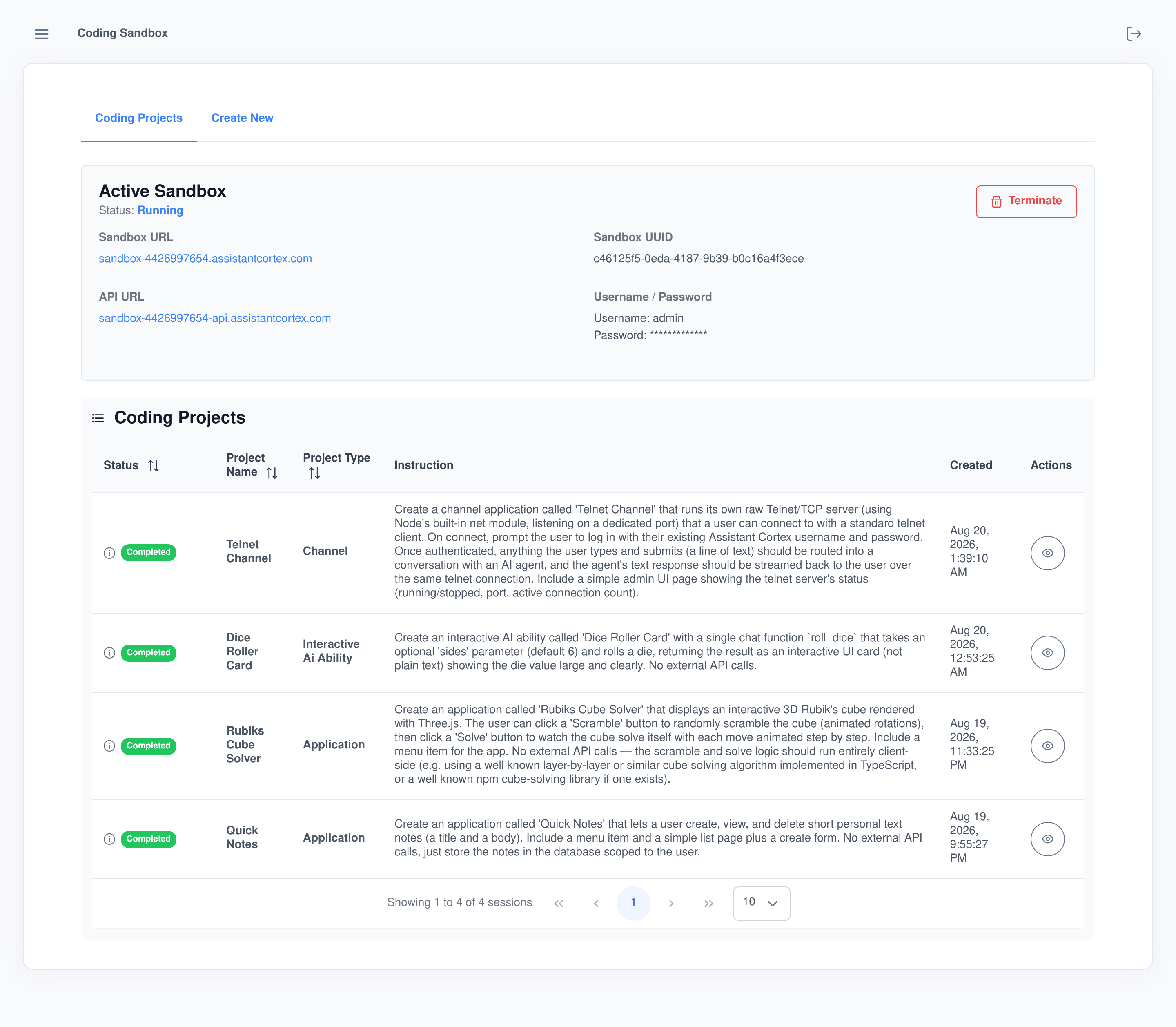
The Coding Projects dashboard keeps the whole history in one table: the instruction each project was built from, its type, its status and when it ran. The panel above it shows the active sandbox — its URL, API endpoint and admin login — with a Terminate button when you want the instance gone.
Four kinds of project, one wizard
The create wizard starts by asking what kind of thing you are building, because each type is scaffolded, registered and tested differently.
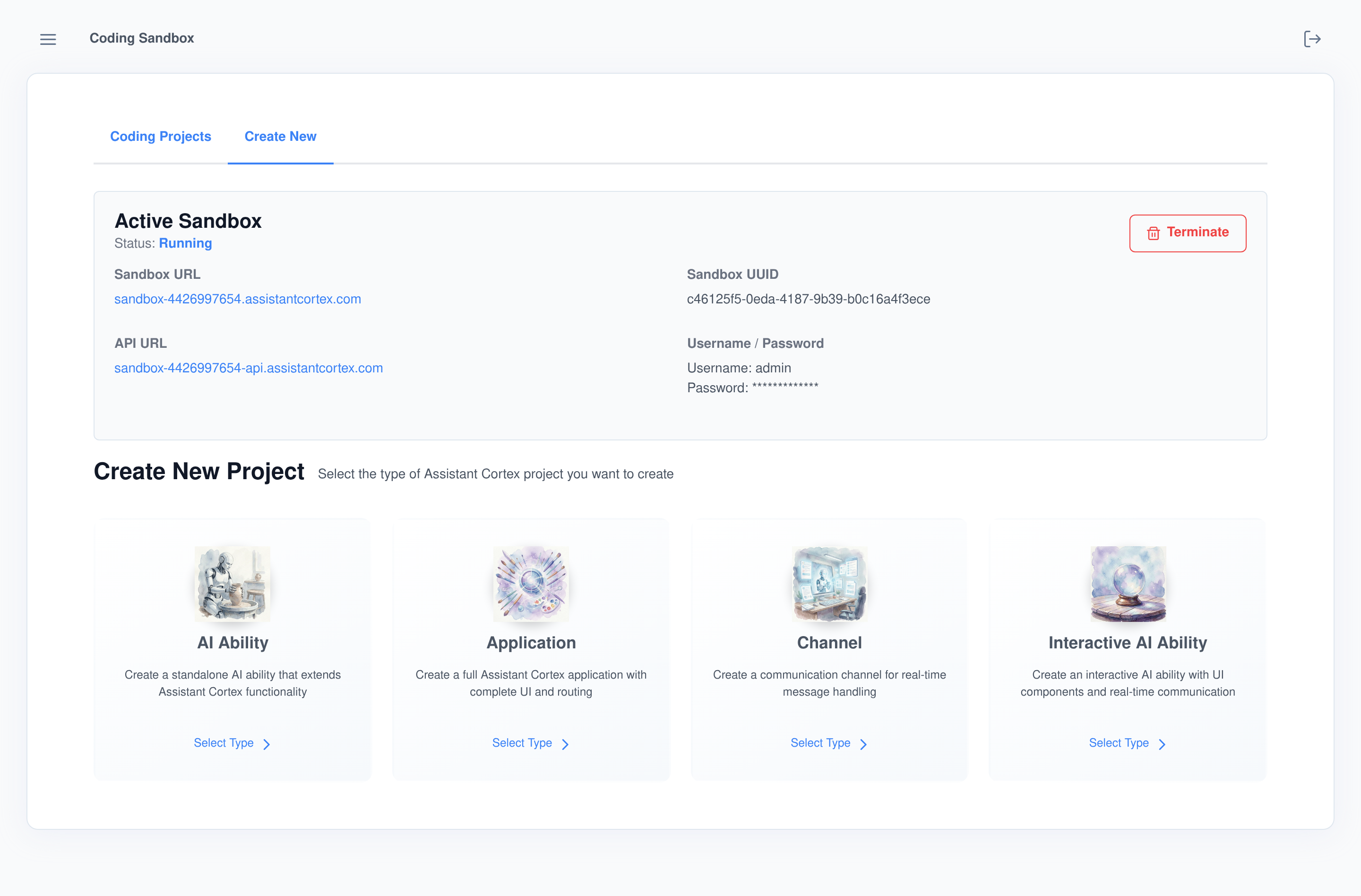
- AI Ability. A standalone chat function your agents can call mid-conversation — tested by sending it a real chat message.
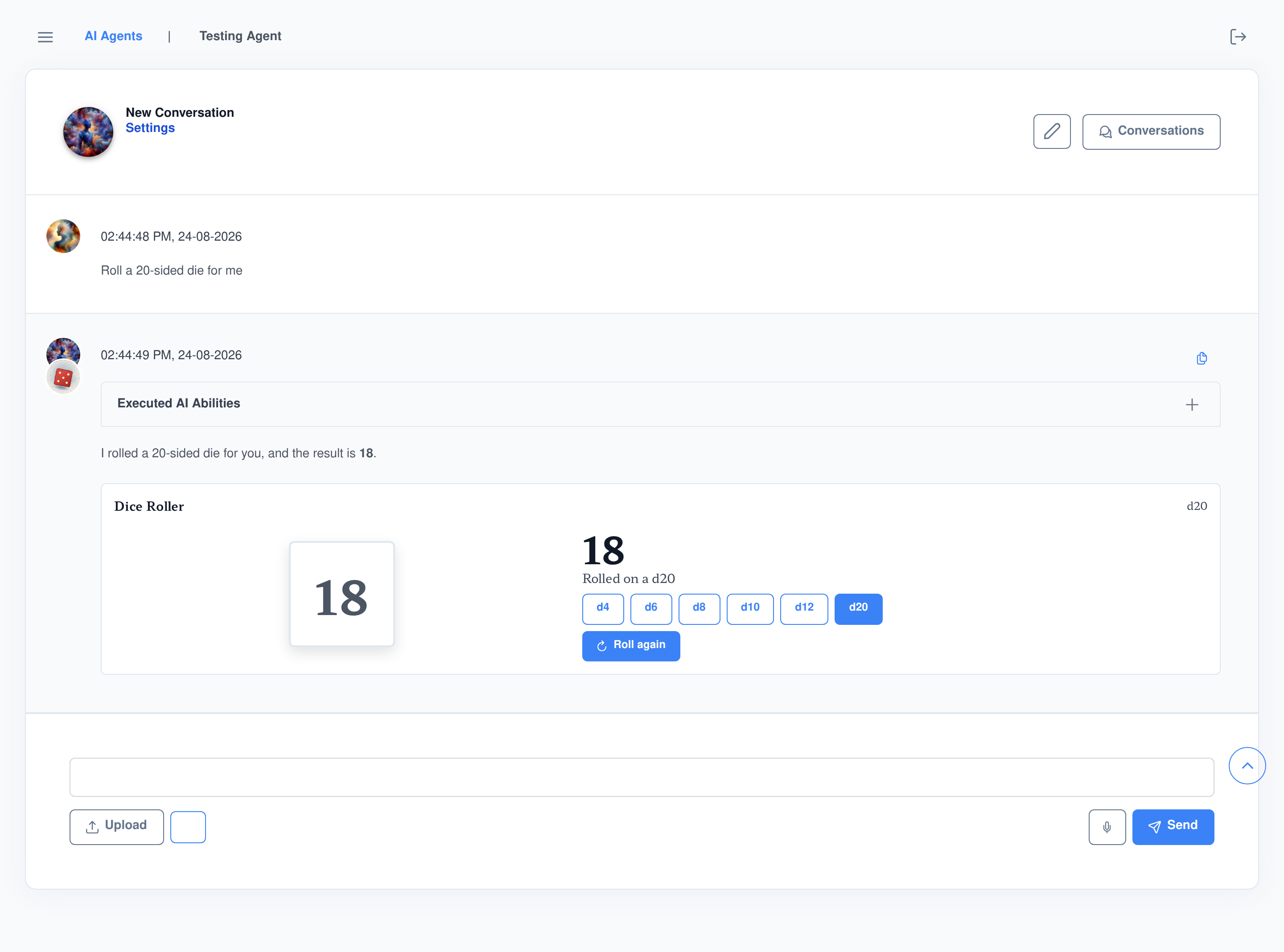
- Interactive AI Ability. A chat function that answers with a live UI card — buttons, previews and real-time updates instead of plain text.
- Application. A full app with its own routes, screens and menu entry — tested by navigating its own UI in a browser.
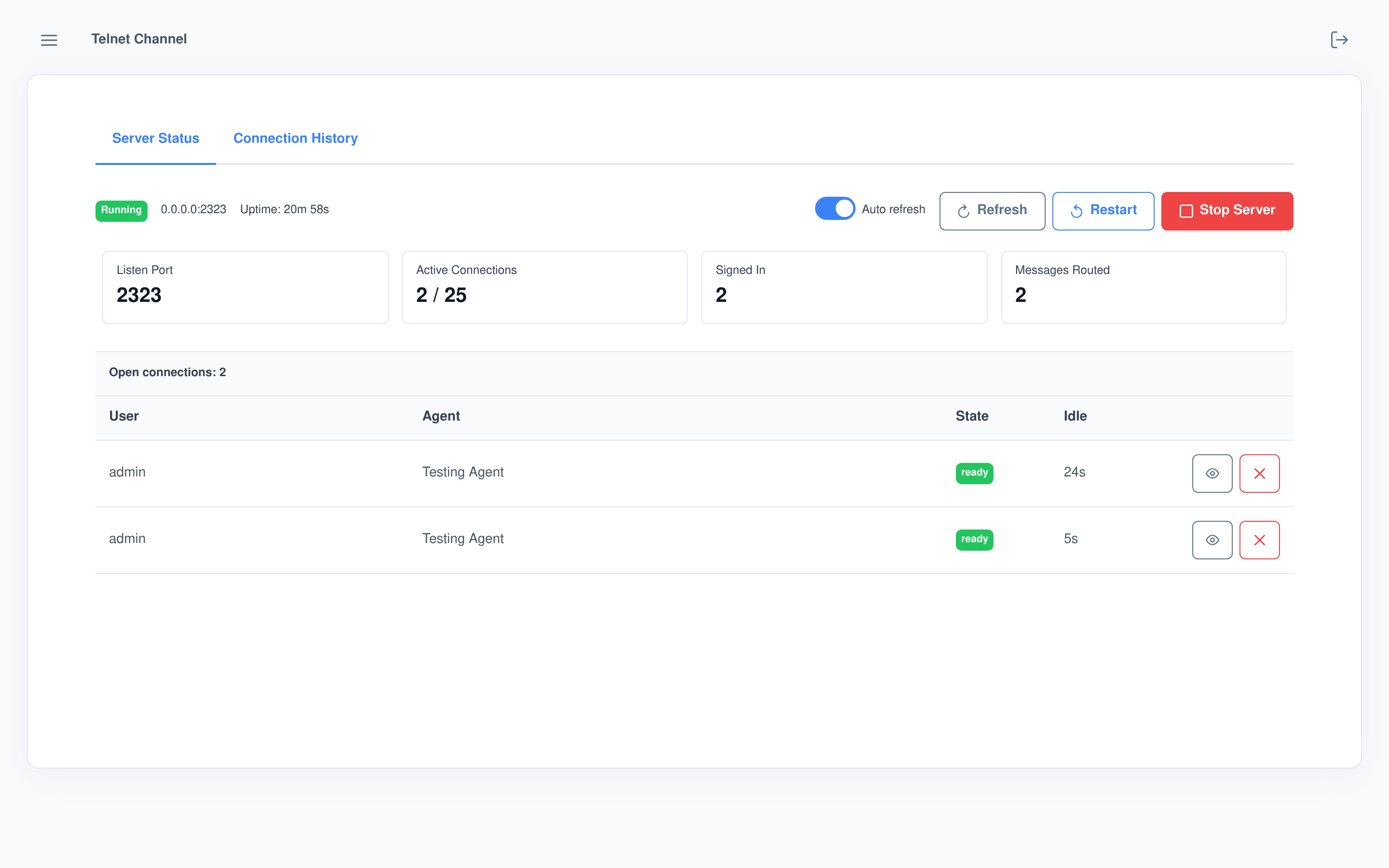
- Channel. A new way into the platform, such as a server listening on its own port that routes what users type into agent conversations.
Brief it like a teammate, not a compiler
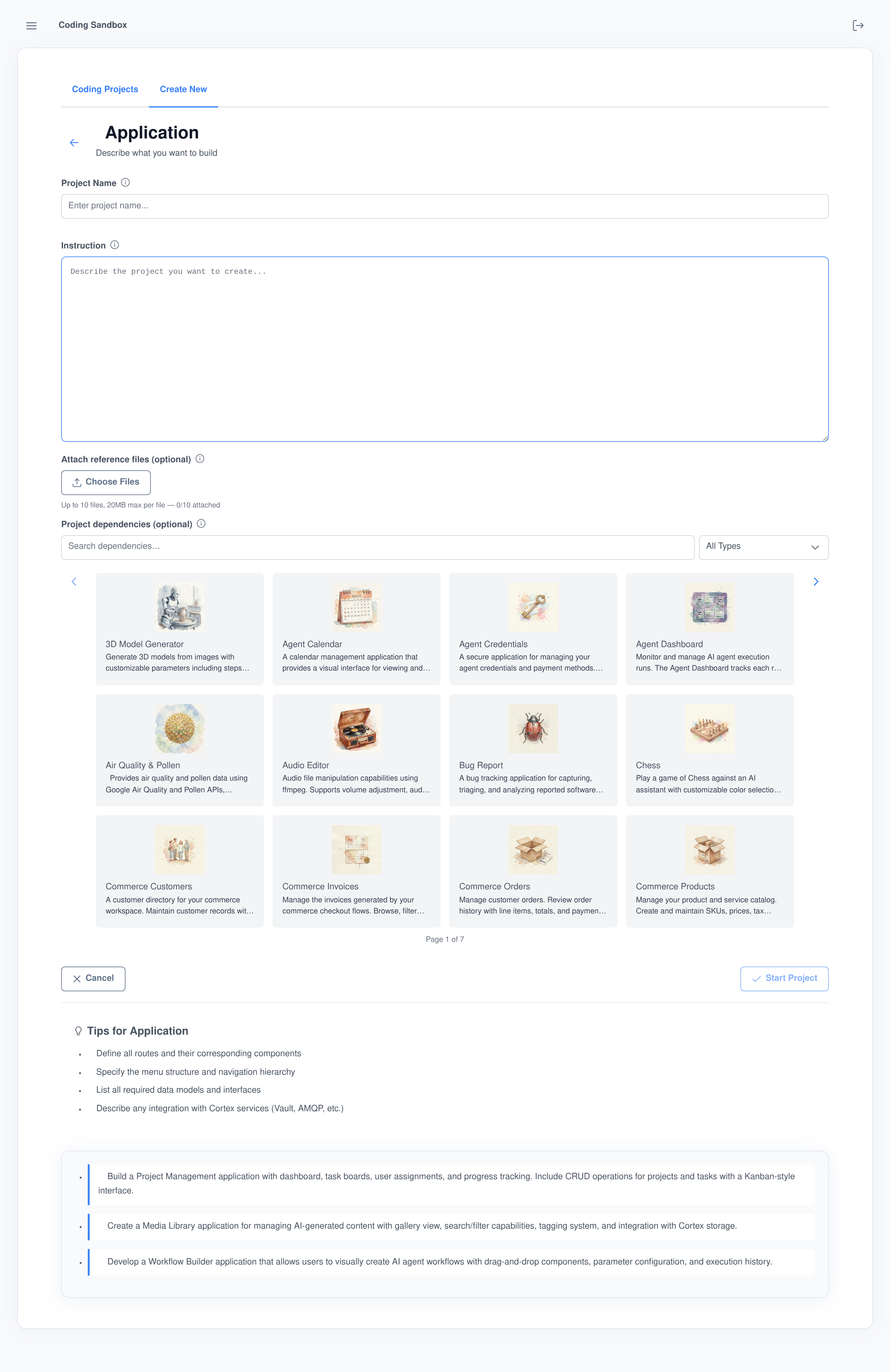
The instruction is ordinary written English — the four projects on this page were each built from the two-to-four sentence briefs you can read in the dashboard above. Around the instruction, the form gives the agent real context:
- Reference files. Upload documents, data samples or mock-ups straight into the project’s working directory, each with a note telling the agent what it is for. File count and size limits are admin-configurable.
- Marketplace dependencies. Pick existing modules from your marketplace catalog. Their published source is downloaded onto the sandbox before the build starts, and the agent is instructed to read it and integrate with it rather than duplicate it.
- Per-type tips and examples. Each project type ships worked example briefs and a checklist of what a good instruction covers — parameters, routes, data models, integrations.
Watch the build without reading over its shoulder
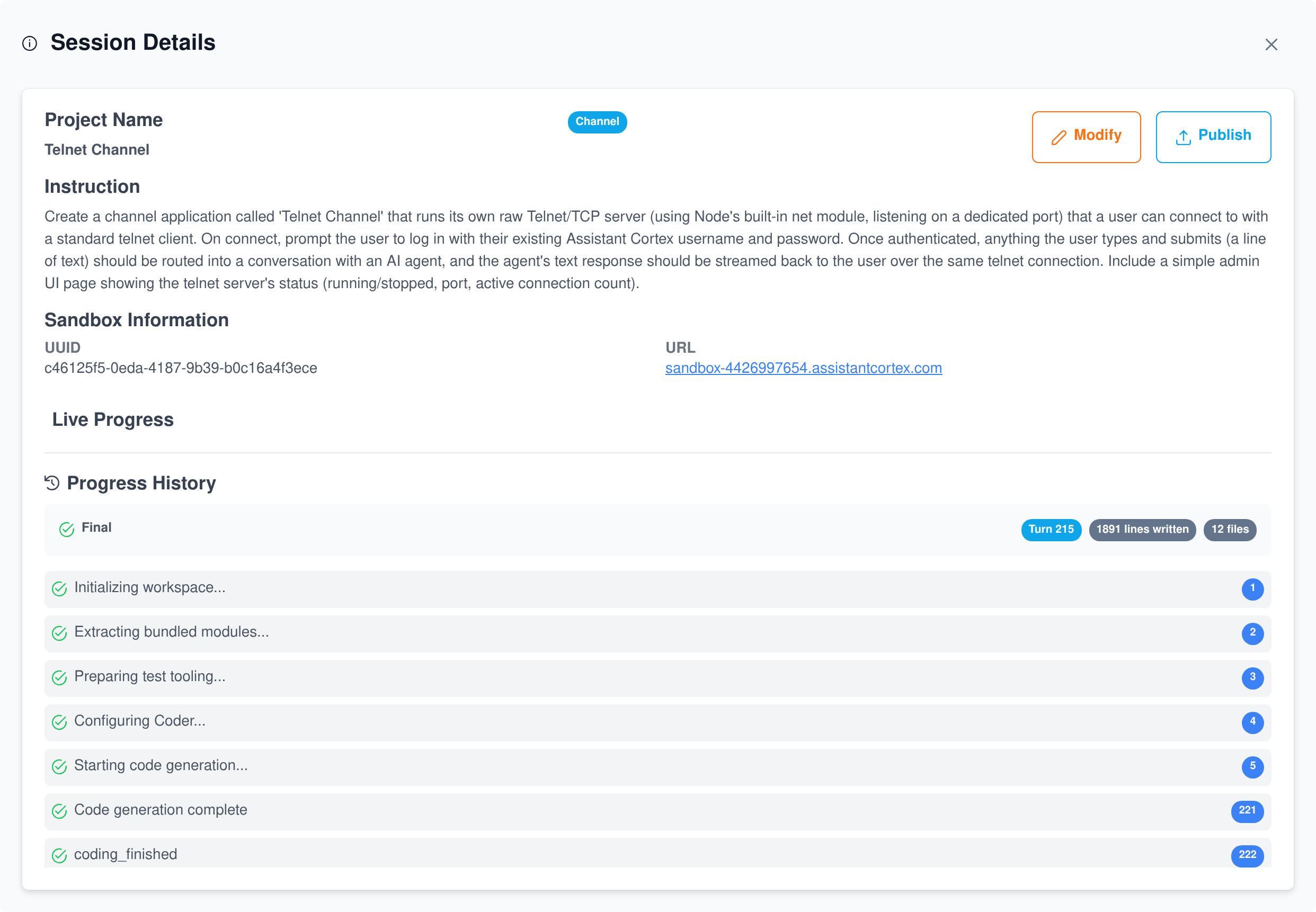
Every session streams its progress back to the dashboard: the provisioning steps, the coding turns, and live counters for lines and files written. You see what the agent is doing in aggregate — never its raw code or reasoning — and every step is kept as history you can revisit after the run.
It tests its own work
After registering the module the sandbox restarts and a test session begins automatically: applications and channels are exercised through their own UI, chat abilities by sending them a real message. Failures go straight back into a fix loop.
You stay in control
Stop Work halts an in-progress session on the sandbox. Modify re-opens a completed project with new instructions, and a modified build unlocks Publish again so the marketplace always gets the version you approved.
It asks before it guesses
When a build needs an API key the agent raises a credential request. You get a toast, type the values into password fields on the projects page, and they are delivered to the sandbox’s credential store — never typed into chat.
Four real builds from one sandbox
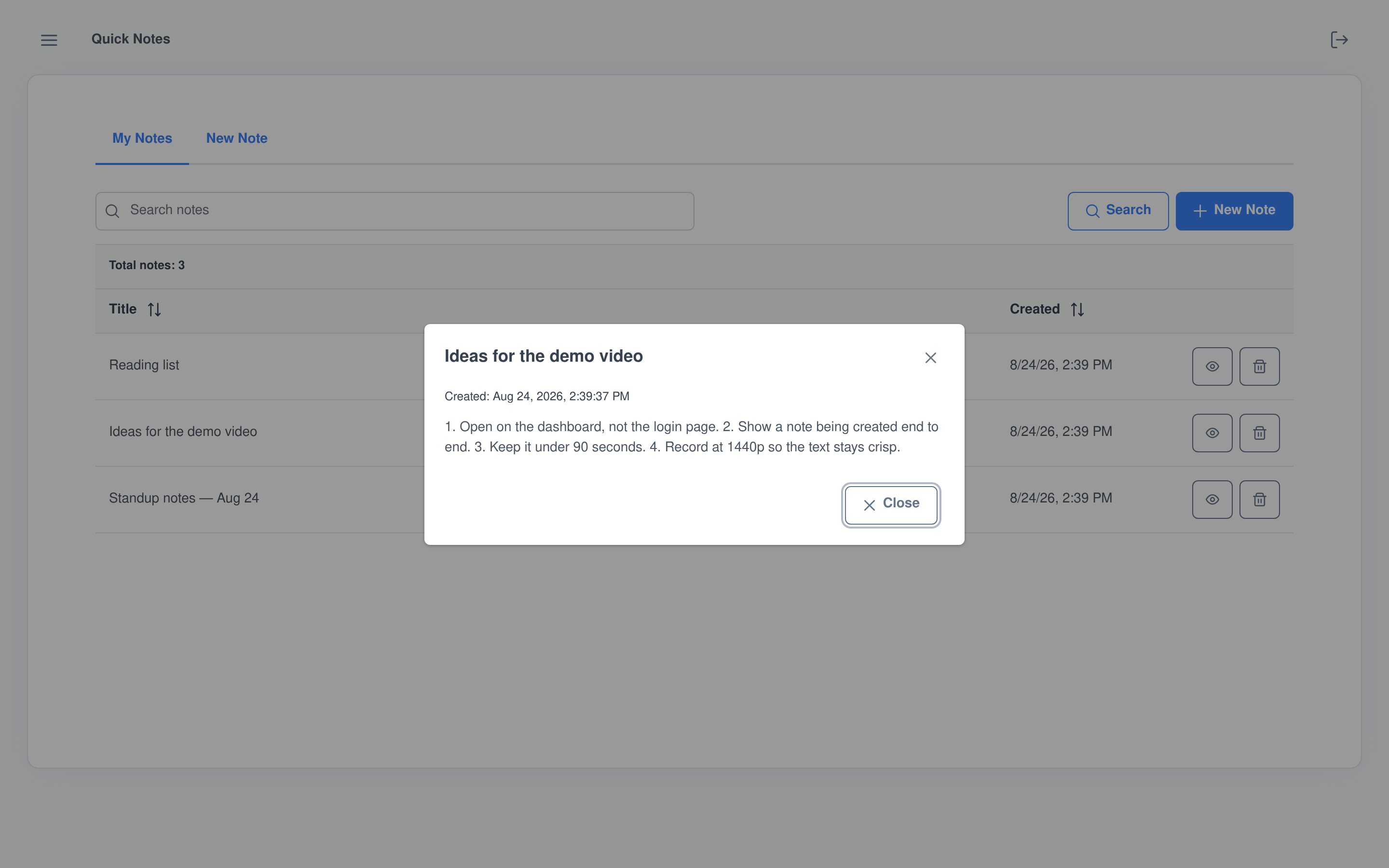
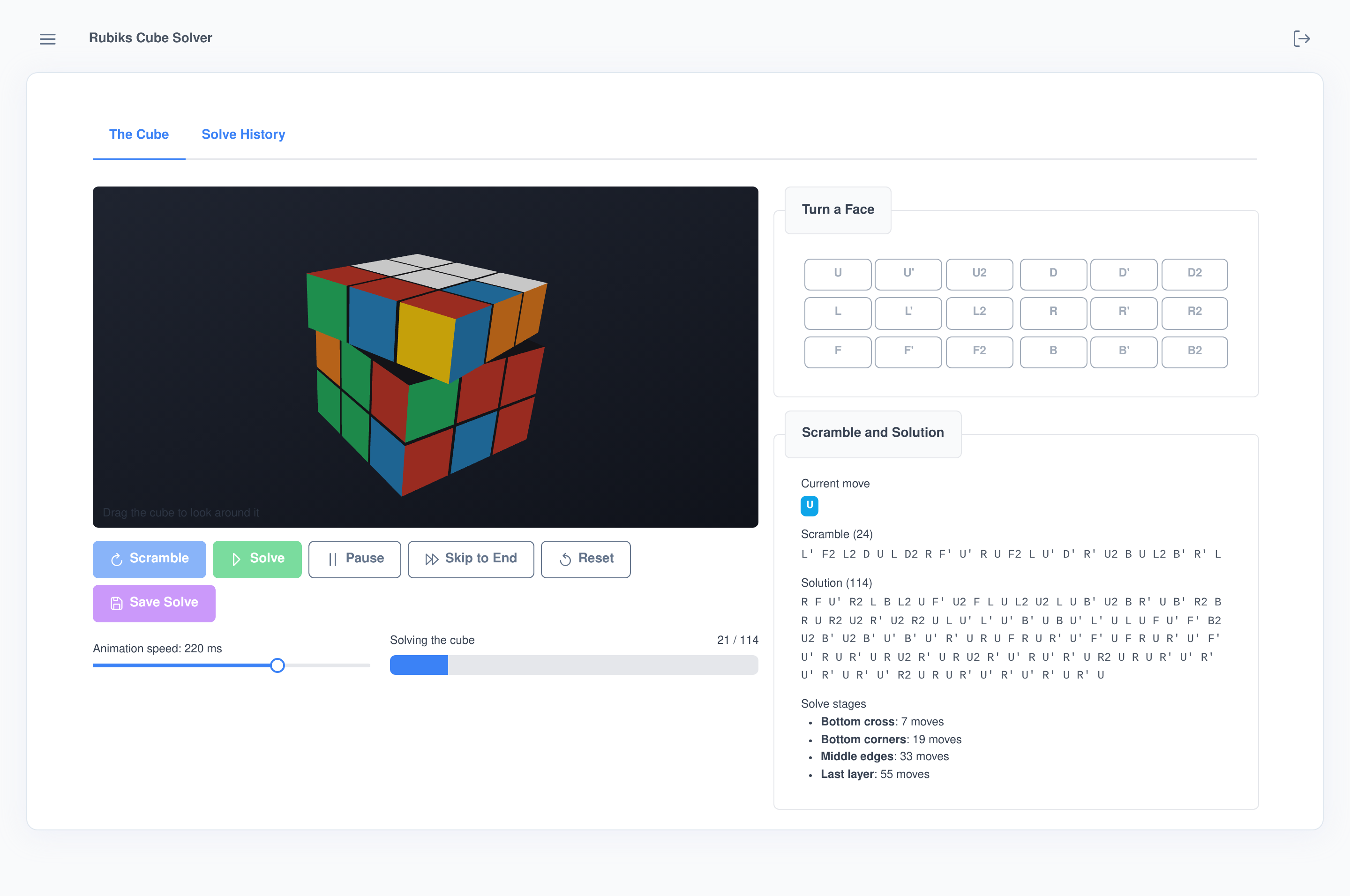
These are unedited screenshots from a single development sandbox, one project of each type, each built end to end by the coding agent from the short instructions shown in the dashboard above.
Isolated by design
The agent never touches your production instance. It works on a separate cloud instance with its own domain, database and secret store, and the only things that cross back are the progress stream, credential requests, metered usage for billing and the module you choose to publish. Terminate the sandbox and the workspace is gone.
Governed like the rest of your platform
Access and limits
- Two permissions, cleanly split. “Use Sandbox” covers creating sandboxes, starting builds and publishing; “View Sandbox” grants read-only access to projects and progress.
- Admin-set upload caps. Reference-file size and count limits live in the application’s configuration screen, not in code.
- Credentials handled as secrets. Requested values are entered in password fields and written to the sandbox’s own credential store.
From sandbox to marketplace
- Publish is deliberate. Only completed sessions can publish, and a published project stays locked until you run a modification — no silently drifting versions.
- Standard packaging. Publishing produces a real npm module and a marketplace item, installable on any instance through the marketplace you already use.
- Metered like everything else. Model usage the agent burns on the sandbox is forwarded to your instance’s own billing ledger, attributed to the user who started the build.
Frequently asked questions
Do I need to set up servers or a development environment?
No. Creating a sandbox provisions an isolated cloud instance for you, with its own web address, database and secret store, and the dashboard reports when it is ready. Terminating it removes the environment.
What can it actually build?
Four kinds of Assistant Cortex module: standalone AI abilities, interactive AI abilities that answer with UI cards, full applications with their own screens and menu entry, and channels that connect agents to new surfaces. The four screenshots on this page are one of each, built from the briefs shown in the dashboard.
Can it build on modules I already have?
Yes. The create form includes a dependency picker fed by your marketplace. Selected modules’ published source is downloaded onto the sandbox before the build starts, and the agent is told to read it and integrate with it rather than re-implement it.
Does it test what it writes?
Yes. After the module is registered the sandbox restarts and a test session runs automatically — applications and channels are exercised through their own UI, chat abilities by sending them a real chat message — and failures feed a fix loop before the session is marked complete.
What happens when a build needs an API key?
The agent raises a credential request naming the service, the reason and the fields it needs. You get a notification, enter the values in password fields on the projects page, and they are delivered to the sandbox’s credential store. The request expires if unanswered for 30 minutes.
Can I see the code while it works?
You see live progress in aggregate — the current activity, coding turns, lines and files written, and each completed step — not the raw code or reasoning stream. The sandbox itself is a full instance you can log into and try the result on at any time.
How does a finished build reach my users?
Publish packages the module as a real npm package and creates a marketplace item. From there it installs onto instances through the same marketplace flow as every other application or ability, permissions included.
Write the brief. Review the build. Ship the module.
Spin up a coding sandbox on your Assistant Cortex instance and let an agent build your next application.