A personal calendar that also runs your booking page
Personal Calendar gives every user their own calendars, sharing and Google/Apple sync. Availability Schedule sits directly on top of it: define the hours you’re open for meetings once, and it commits them to your calendar as real events, then mints a Calendly-style booking link that reads your open time and writes every booking straight back to the same calendar.
No separate booking product to configure. Your calendar is the database, so what a guest books is exactly what’s on your schedule.
From open hours to a booked meeting in three steps
1. Set your weekly hours
Draw availability blocks on a week grid — a day of week plus a start and end time — and apply the pattern to your Personal Calendar over any date range.
2. Mint a booking link
Pick a meeting length and how many times the link can be used, and get a public URL that reads your availability calendar for open slots.
3. The booking lands on your calendar
A guest picks a real open slot and books it. It’s written to your calendar as an event, closes that slot for the next visitor, and emails a confirmation with a calendar invite.
A real calendar underneath, not a scheduling widget bolted on
Personal Calendar is a full calendar application in its own right — month, week, day and a searchable agenda — and Availability Schedule and Meeting Links are consumers of it, not a separate silo of dates.
Multiple calendars, shared how you want
- Color-coded calendars. Keep work, personal, and an availability calendar separate, each with its own timezone.
- Share with a person or a group. Grant freebusy, reader, writer or owner access, and revoke it from the same dialog.
- Recurring events. Standard RRULE recurrence, with attendees, tags, colors and a meeting URL per event.
- Timezone-correct scheduling. Wall-clock times hold across a DST change, so “9am Monday” stays 9am.
Views built for actually using it
- Month, week and day grids with a calendar-colored legend sidebar and per-calendar visibility toggles.
- Agenda search across event titles, descriptions, locations and tags.
- Chat cards. Ask an agent for your agenda or an event’s details and it answers with an interactive card instead of a wall of text.
- GDPR/CCPA-aware. User data export and deletion, and calendar retention cleanup, ship with the module.
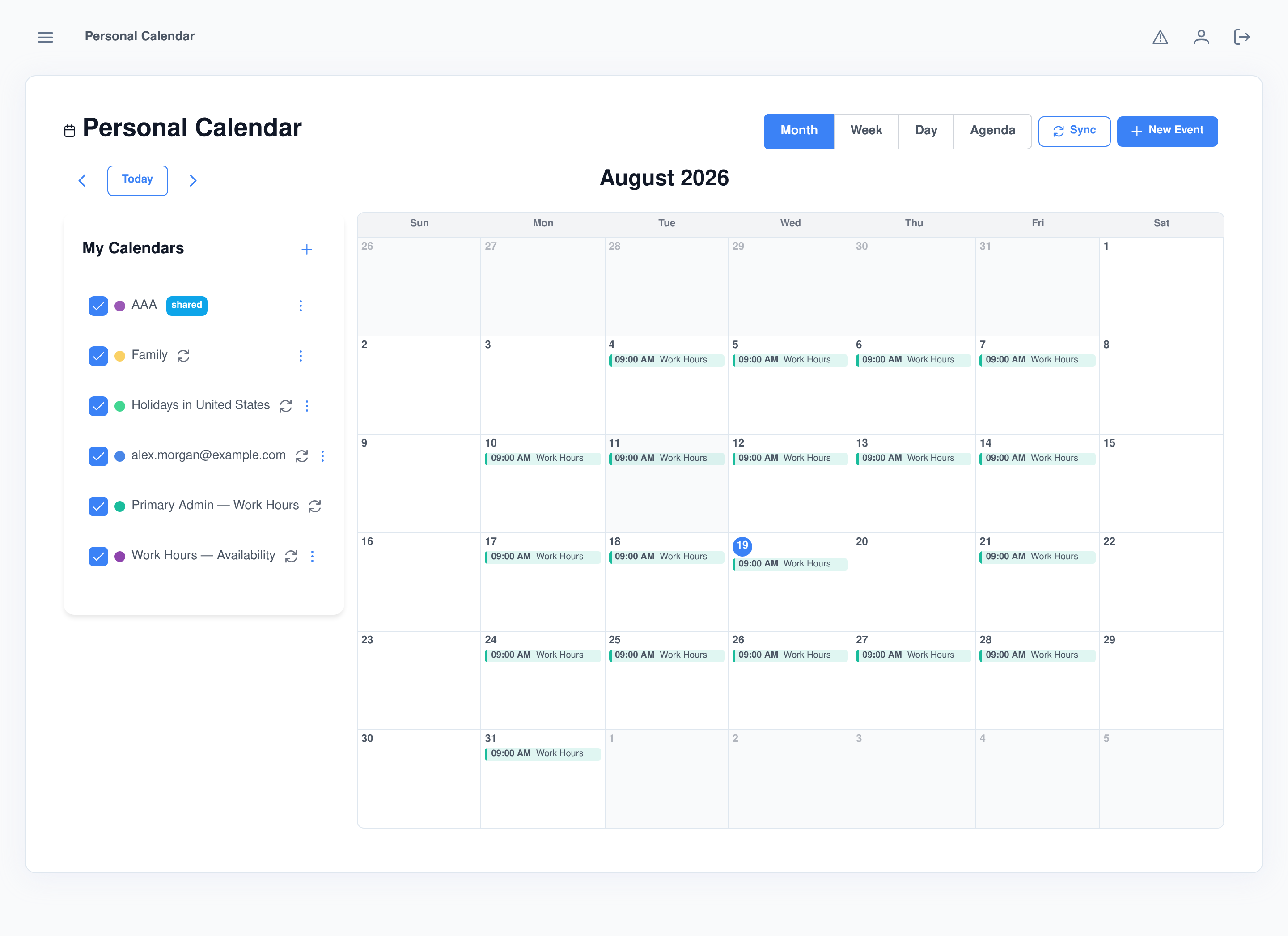
Draw your week once, apply it whenever it changes
Availability schedules are day-of-week blocks on a week grid, not a form. Keep more than one schedule — different hours for different purposes — and switch between them from a dropdown.
- Apply to a date range. Commits the weekly pattern to a dedicated availability calendar as real events — re-applying replaces what was previously committed in that range.
- Draft or applied. A status tag shows whether a schedule has ever been committed, and the page totals the hours it offers per week.
- One tap from chat. “I’m available Mondays 9 to noon” adds the block; a default schedule is created the first time you use it.
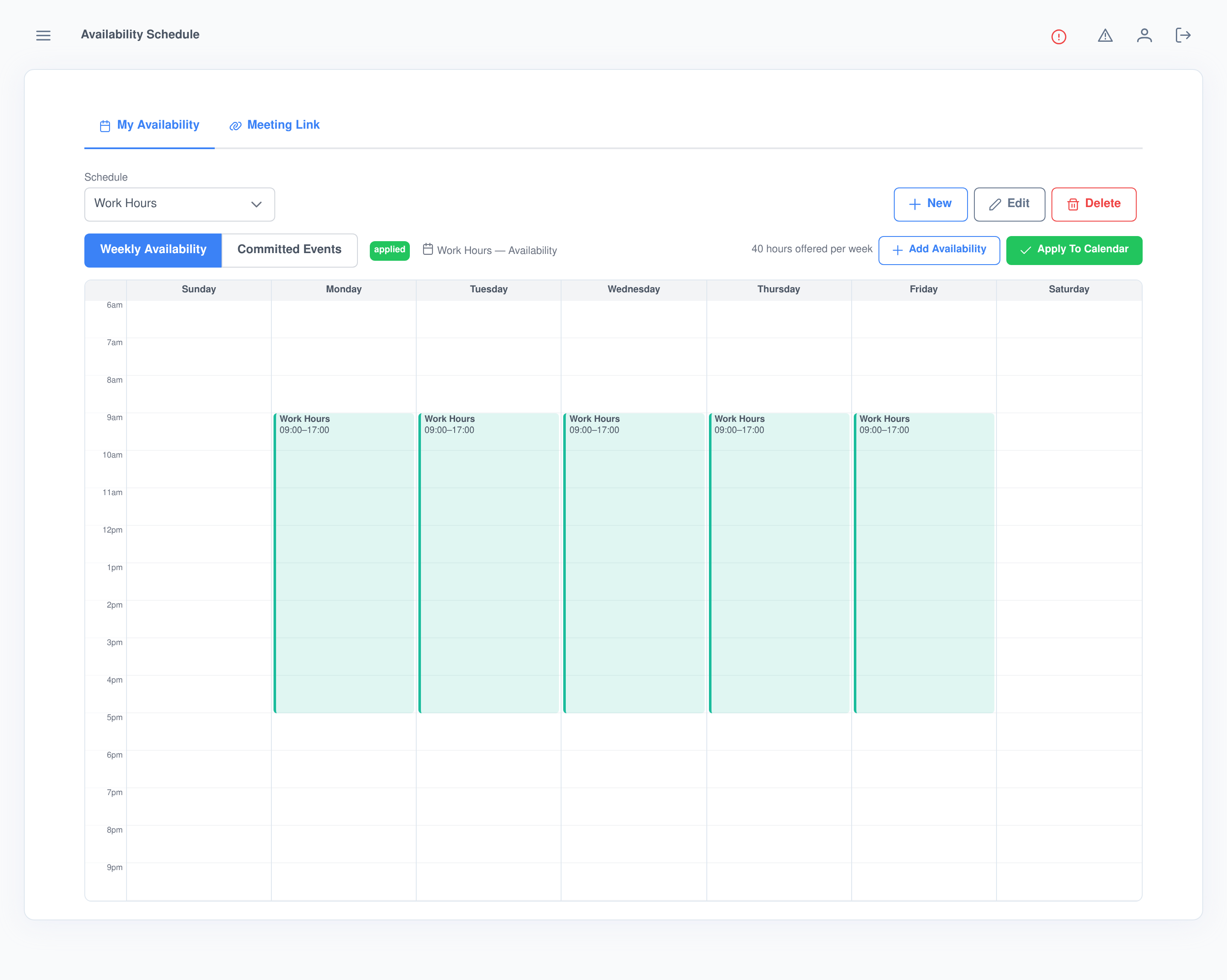
A Calendly-style booking page, minted from your own calendar
Meeting Link setup lives in one place: the availability calendar it reads from, the booked-time calendar it writes to (the two must be different, so a booking can never overlap the availability it came from), a default meeting length, and every link you’ve minted with its use count and status.
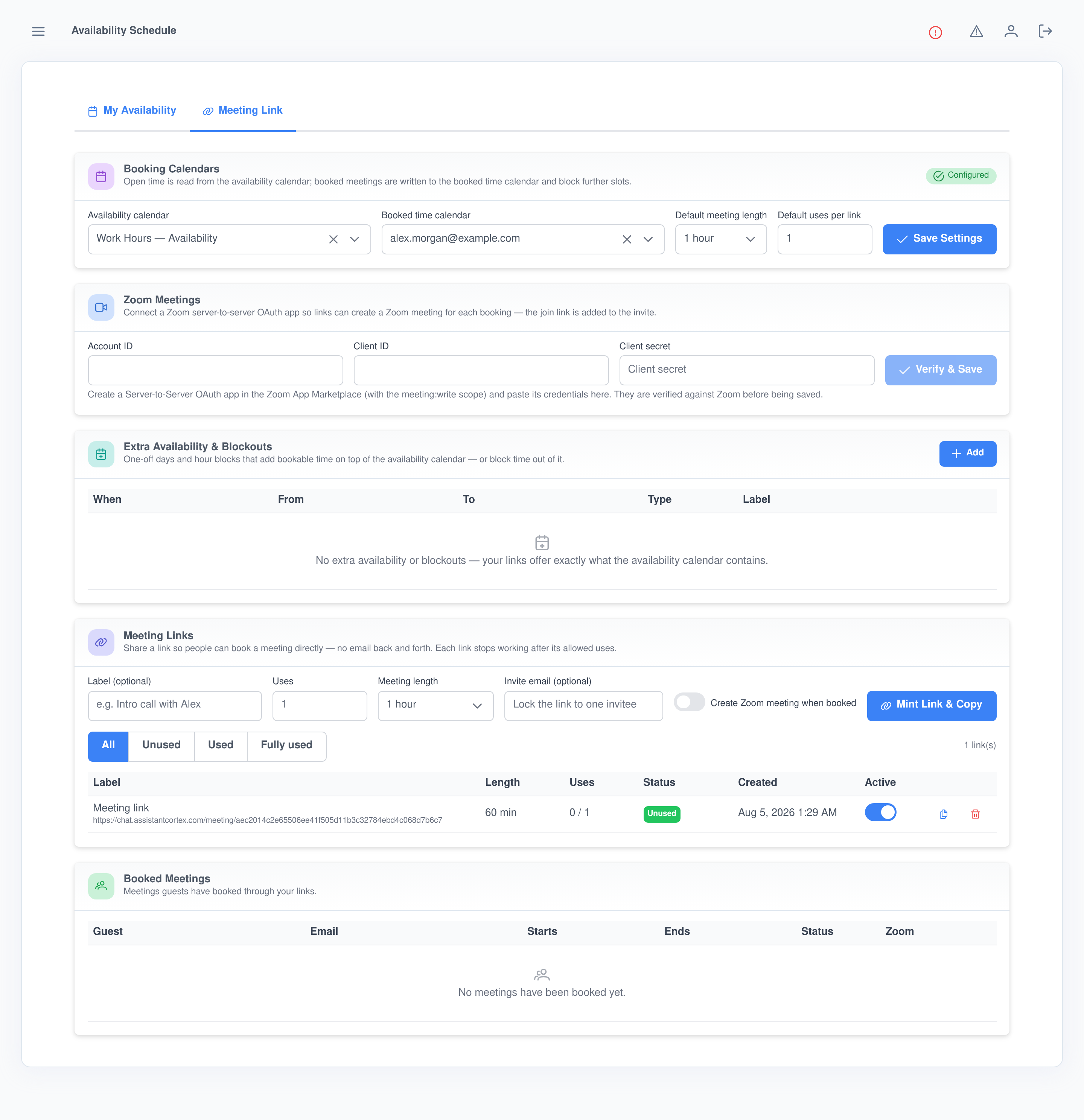
Limited-use, lockable links
Set a link to expire after N bookings, or lock it to one invitee’s email so the booking and its confirmation always go to that person, no matter what the form says.
Extra availability and blockouts
Add one-off or recurring windows on top of the availability calendar, or block specific hours out even when the calendar says they’re open.
Zoom meetings, created automatically
Connect a Zoom server-to-server OAuth app once, verified against Zoom on save, and every booking on that link gets a real Zoom meeting with the join link on the invite.
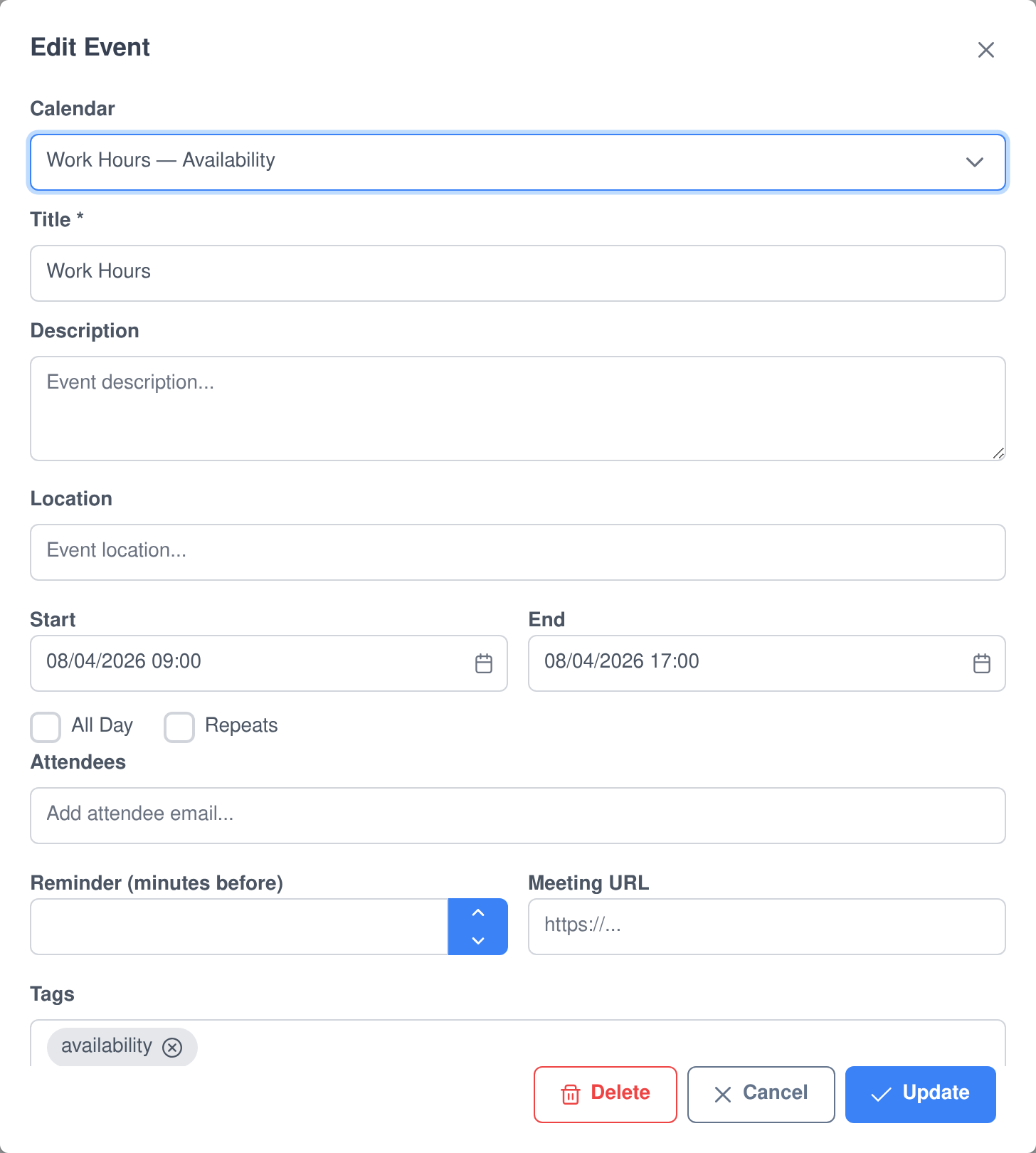
Every slot and every booking is an event you can open and edit
There’s no shadow database behind the booking page. An availability block committed to your calendar, and a meeting a guest books, are both ordinary Personal Calendar events — open one and it’s the same edit dialog you’d use for anything else on your calendar.
- Guests self-serve. A booking confirmation includes a manage link the guest can use to reschedule to another open slot or cancel — no email back and forth.
- Real .ics invites. Booking, rescheduling and cancelling each send a calendar invite that updates or removes the event in the guest’s own calendar app.
- You can still cancel it yourself from the Booked Meetings table, which runs the identical cancellation path as a guest self-cancel.
Keep it in sync with the calendar you already use
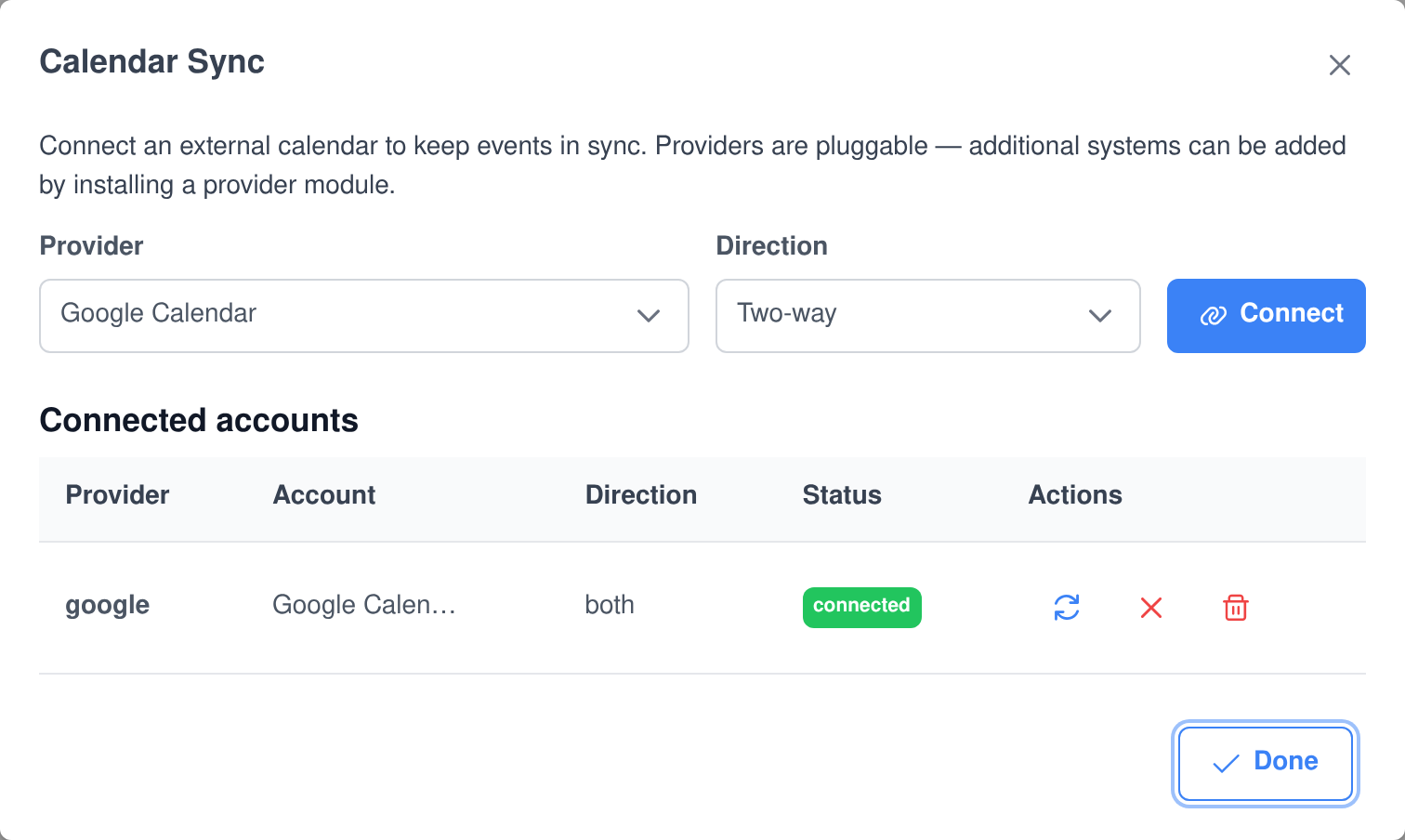
- Google Calendar and Apple Calendar ship as connectors, both supporting pull, push or two-way sync per account.
- Pluggable providers. The sync interface is open, so additional systems can be installed as a provider module without touching Personal Calendar itself.
- Per-account status and manual sync. See each connected account’s provider, direction and status, and trigger a sync on demand.
- An agent can trigger it too. “Sync my Google calendar now” runs the same sync from chat.
Your availability calendar is a contract other systems can read
Availability committed by this application is deliberately interchangeable with Employee Manager work calendars — anything in Assistant Cortex that needs to find someone’s open time, including booking flows like Sales Lead outreach, reads the same Personal Calendar events. Set your hours once and every booking-aware feature in the platform sees the same schedule.
Every calendar and booking action is an AI ability — and an MCP tool
Personal Calendar and Availability Schedule each ship a full AI ability, so your agents can manage a calendar or run a booking flow as part of solving a task. The same functions are published by the Assistant Cortex MCP server, so Claude, an IDE or any other MCP client can drive them with exactly the permissions your agents have.
Personal Calendar ability
personal_calendar_ability_list_calendars
List Calendars
Lists the calendars the user owns or has been given access to, with color, visibility and source.
personal_calendar_ability_create_calendar
Create Calendar
Creates a new calendar with a name, color and timezone.
personal_calendar_ability_list_events
List Events
Lists upcoming events, optionally limited to one calendar and a date range.
personal_calendar_ability_search_events
Search Events
Full-text search across event titles, descriptions, locations and tags, with an optional date range and tag filter.
personal_calendar_ability_view_event
View Event
Returns the full detail of a single event, including attendees, recurrence and its meeting URL.
personal_calendar_ability_create_event
Create Event
Creates an event with a title, time range, location, attendees, recurrence rule, tags and color.
personal_calendar_ability_update_event
Update Event
Updates any field of an existing event — title, description, location, time, color or tags.
personal_calendar_ability_move_event
Reschedule Event
Moves an event to a new start and end time, and reports the previous time it was moved from.
personal_calendar_ability_delete_event
Delete Event
Deletes an event by id.
personal_calendar_ability_share_calendar
Share Calendar
Shares a calendar with a user or a group at a chosen access role — freebusy, reader, writer or owner.
personal_calendar_ability_list_sync_providers
List Sync Providers
Lists the external calendar sync providers available to connect, such as Google and Apple.
personal_calendar_ability_run_sync
Run Sync
Triggers a sync for one of the user’s connected external calendar accounts and reports what changed.
Availability Schedule ability
availability_schedule_ability_list_availability
List Availability
Lists the user’s availability schedules and every weekly availability block in them.
availability_schedule_ability_add_availability_block
Add Availability Block
Adds a weekly availability block — a day of week plus a start and end time. Creates a default schedule automatically when none exists.
availability_schedule_ability_remove_availability_block
Remove Availability Block
Removes a weekly availability block by its id.
availability_schedule_ability_apply_availability
Apply Availability
Commits the weekly schedule to the user’s Personal Calendar as availability events over a date range, so booking systems can schedule against it.
availability_schedule_ability_mint_meeting_link
Mint Meeting Link
Mints a shareable public booking link against the user’s availability, with an optional use limit, meeting length, locked invitee email and automatic Zoom meeting creation.
availability_schedule_ability_list_extra_availability
List Extra Availability
Lists the user’s one-off and weekly extra availability blocks and blockout windows used by their public meeting links.
availability_schedule_ability_upsert_extra_availability
Upsert Extra Availability
Creates or updates a one-off or recurring window that either opens bookable time on top of the availability calendar, or blocks time out of it.
availability_schedule_ability_remove_extra_availability
Remove Extra Availability
Deletes an extra availability or blockout window by its id.
Permissions and data handling that hold up to an audit
Separate permissions per action
- Personal Calendar splits viewing, managing calendars, managing events, sharing calendars and managing external sync into distinct permissions.
- Availability Schedule keeps it to viewing and managing your own schedule — everything it does, including bookings and meeting links, is scoped to the acting user.
- Card actions in chat re-check the same server-side permission a button click would, even though the button rendered client-side.
Built for compliance from day one
- Both applications declare GDPR/CCPA compliance and ship user data export and account-deletion cleanup out of the box.
- A retention cleanup plugin ages out calendar data on your schedule, not a manual purge.
- Zoom and other third-party credentials are stored in Vault, never in the application database.
What people use it for
- A personal booking page for sales calls, interviews or office hours, with no separate scheduling subscription.
- Shared team calendars with per-person or per-group sharing roles instead of one all-or-nothing calendar.
- Keeping Google or Apple Calendar as the source of truth while agents read and write through Assistant Cortex.
- Zoom-first booking links where every meeting a prospect books arrives with a join link already attached.
- Feeding other Assistant Cortex booking flows, like Sales Lead outreach, from the same availability calendar.
- Letting an agent manage your day — reschedule, find a gap, or check what’s next, from chat.
Frequently asked questions
Do I need both applications to get a booking page?
Yes. Availability Schedule mints and manages the booking link, but it depends on Personal Calendar to store both the open time and the resulting bookings — there’s no calendar of its own underneath it.
Can two bookings ever land on the same slot?
No. Every booking re-validates the requested slot against your live availability, busy time and existing bookings on the server before it’s confirmed, so a stale or forged time on the form can’t double-book you.
Does a guest need an Assistant Cortex account to book?
No. The booking page is a public, token-authenticated route. A guest picks a time, gives their name and email, and books — no login, no account.
What happens if a guest wants to reschedule?
Their confirmation email includes a manage link where they can pick another open slot themselves or cancel outright — you don’t have to be involved unless you want to be.
Does it work with the calendar I already use?
Google Calendar and Apple Calendar both ship as sync providers with pull, push or two-way sync, so your existing calendar and Assistant Cortex can stay aligned in either direction.
Can meetings include a Zoom link automatically?
Yes. Connect a Zoom server-to-server OAuth app once and turn it on per link; every booking on that link gets its own scheduled Zoom meeting with the join link on the confirmation and the calendar event.
Can my agent manage the calendar for me?
Yes. Both applications ship a full AI ability, so an agent can create and search events, reschedule things, set your weekly availability and mint booking links, all from a chat message.
Set your hours, share the link
Personal Calendar and Availability Schedule ship with Assistant Cortex. Start a trial, draw your week, and mint your first booking link.