Some answers deserve more than a paragraph — so the agent sends a live component instead
A news search, a web search, a stock quote, a weather lookup — any AI ability can render its result as a real interactive UI component right inside the chat, not a wall of text pretending to be one. The same mechanism is general enough that dozens of abilities across the platform already use it.
Every card below is a live, unedited capture from a real conversation — no mockups.
A card is just another kind of answer
1. You ask
“What’s Nvidia trading at?” — an ordinary question, nothing special about the phrasing.
2. The ability checks the channel
If this conversation can render components, the ability sends one. If not — voice, SMS, the raw API — it falls back to plain text automatically.
3. A real component renders
Not a screenshot of a chart — an actual live price card with its own tabs, sliders and controls.
One mechanism, checked on every call
Every ability that can render a card checks the same thing first, and degrades the same way when it can’t.
The channel has to support it
- Every ability checks whether the current conversation can display rich components before it tries to render one.
- Voice, SMS, and raw API calls can’t — so the same function call falls back automatically to its plain text-and-data response instead.
The card is the whole answer
- Once a component is sent, that’s the response — abilities don’t layer a second text reply underneath it that could conflict with what the card already shows.
- Every card below was captured from a real, unedited conversation — the query, the source, the numbers are all live.
News Search: a real news reader, not a bullet-point summary
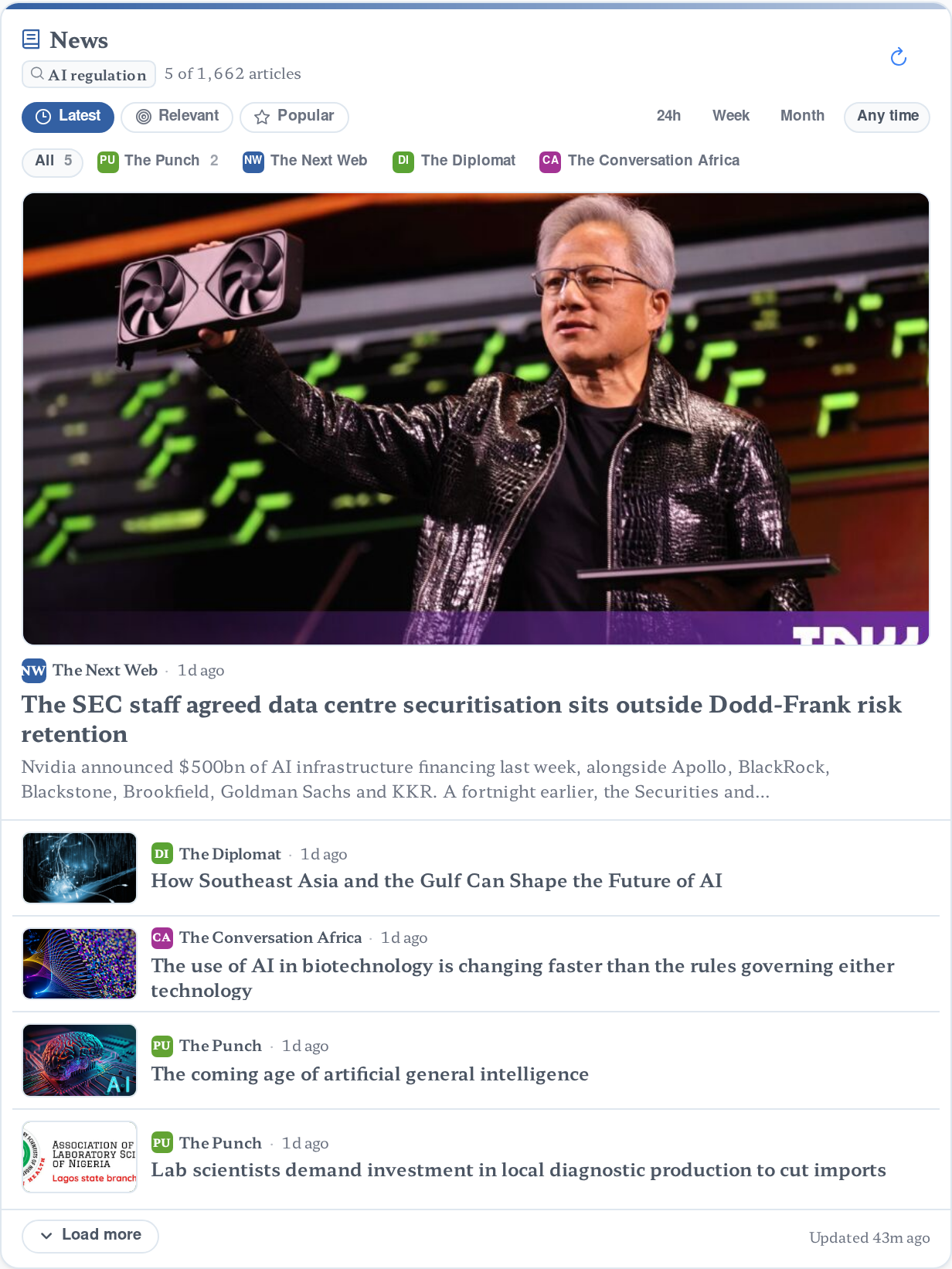
Asked live: “Search the news for the latest developments in AI regulation.” The agent still wrote its own summary above the card — that’s the “process with AI agent” setting below, on by default — but the card itself is the real source list: a lead story with image, filter chips per outlet, time-window and sort controls, and a live “Load more”.
- Every headline, source and timestamp on the card is real, pulled live for this exact query.
Web Search: results with real citations, not a paraphrase
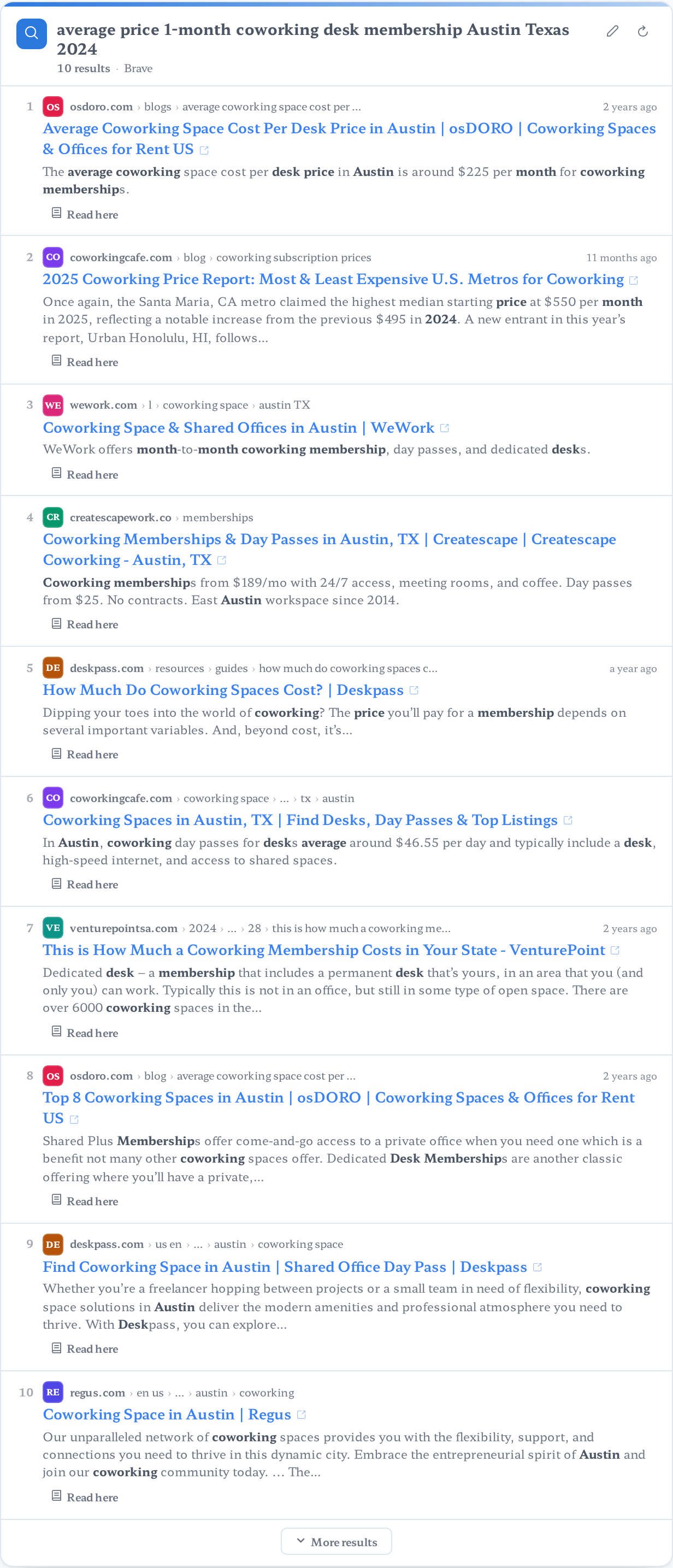
Asked live: “Search the web for the current average price of a 1-month coworking desk membership in Austin, Texas.” Ten numbered results came back, each with its domain, breadcrumb path, title, snippet and a direct link — the same shape a researcher gets from the search engine itself, just rendered inline instead of forcing a tab switch.
- The search engine (Brave, Bing, Google or a self-hosted SearXNG instance) is a configuration choice, not a code change.
Weather: every metric a field team actually checks
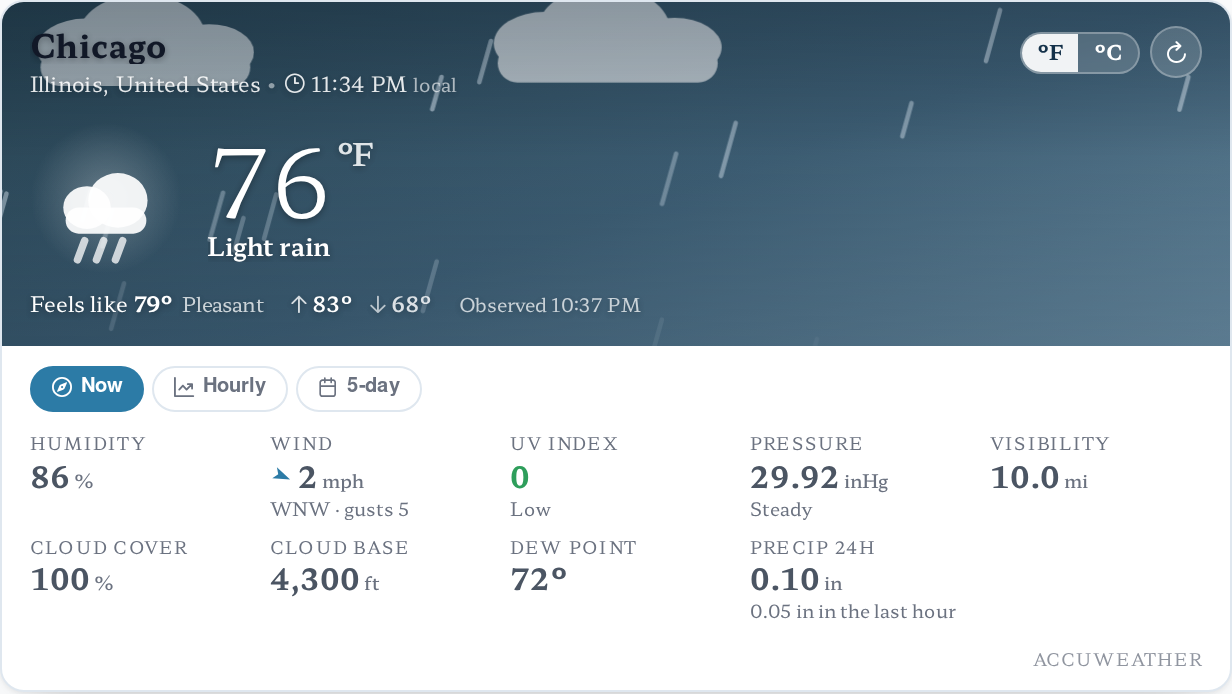
Asked live: “What’s the current weather in Chicago right now?” Beyond the headline temperature and condition, the card carries the full AccuWeather metric set: feels-like, high/low, humidity, wind with gusts, UV index, pressure, visibility, cloud cover and base, dew point, and 24-hour precipitation — with Now / Hourly / 5-day tabs to go further.
- A separate Forecast function renders the same depth for a multi-day outlook, not just current conditions.
Stock Price: a real quote card, complete with a market-status badge
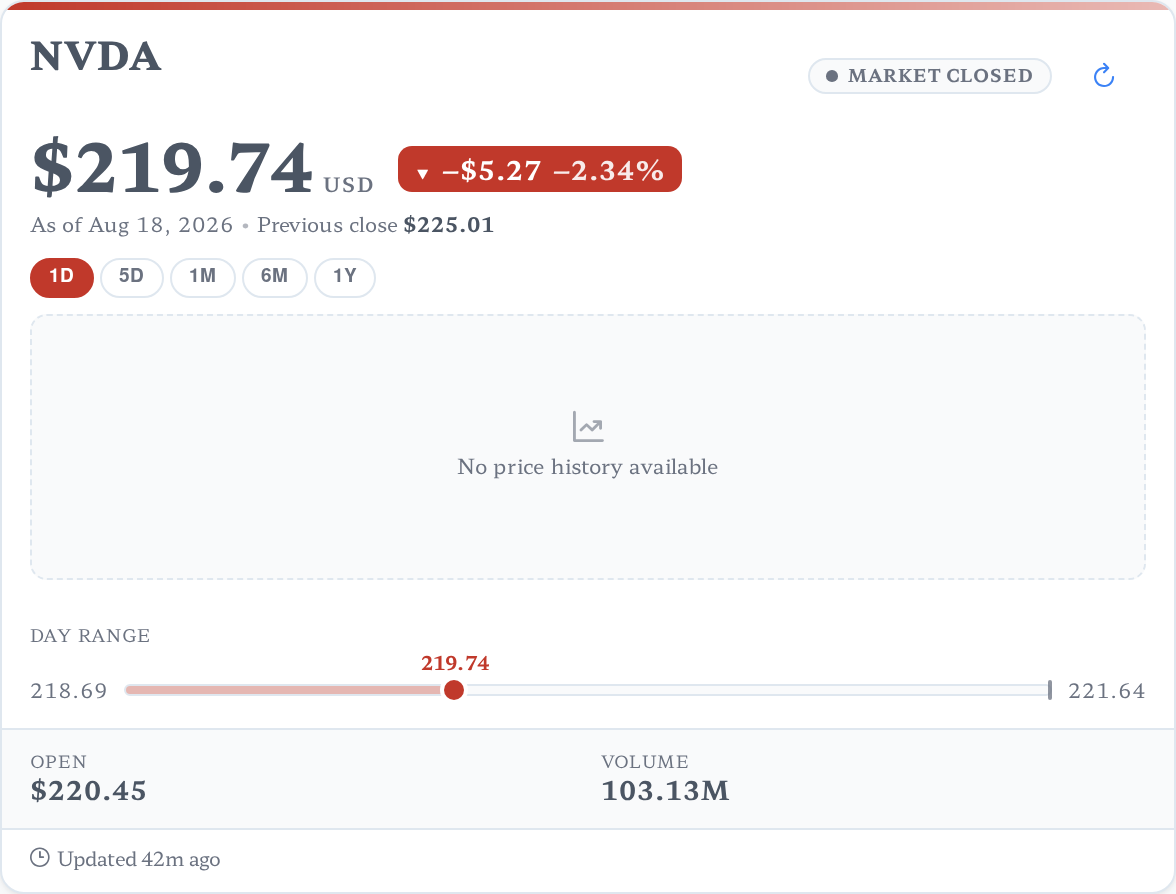
Asked live: “Get the current stock price for Nvidia (NVDA).” The card carries the ticker, a Market Open/Closed badge, price with a dollar-and-percent change chip, a 1D/5D/1M/6M/1Y range switcher, a day-range slider, and open price and volume — plus a Compare Stocks function for a watchlist across several tickers at once.
- A live per-conversation “Updated” timestamp is stamped on the card itself, not just implied by when the message arrived.
Reader: a full article, typeset, not a link
Asked live: “Read the webpage at [a Wikipedia article on artificial intelligence] and summarize it for me.” Instead of a bare link or a flattened wall of text, the card renders the article itself — publisher and byline, word count and reading time, a drop-cap opening, and “Continue reading” / “Load the full article” controls for a 27,500-word page.
- A companion Crawl Website function renders the same treatment across a whole site, not just one page.

Two settings decide how cards behave for each agent
Both live on the agent’s Generation tab, under Conversation Settings — and because they’re set per agent, not per instance, different agents on the same platform can behave completely differently.
“Show interactive UI components in chat”
- The on/off switch for cards on this agent, full stop. Off, and every ability’s UI branch never runs — everything falls back to plain text.
- On by default for new agents; a voice-first or SMS-first agent might turn it off deliberately since it can’t render one anyway.
“Process UI component responses with AI agent”
- Controls what happens right after a card renders — not whether it renders. On (the default, and what every screenshot above shows), the model keeps generating and writes its own summary around the card.
- Off, the turn ends the instant the card is sent — no restated commentary underneath it, just the component, which is what a clean dashboard-style agent usually wants.
The same mechanism, well past these five
News, web search, weather and stock quotes are the clearest buyer-facing examples, but the same card-rendering pattern already ships across dozens of abilities on the platform.
More lookups
- Flight Data — track a flight, search routes, an airport board.
- Google Maps — directions, geocoding, place search, a distance matrix.
- Air Quality & Pollen — current and forecast readings, a heatmap tile.
- Geographic Data — country, region and city reference lookups.
Business records
- AI Recruiter — job postings, candidates, a pipeline and interview steps.
- Commerce Orders, Products, Invoices and Customers — the storefront suite’s own record cards.
- Sales Pipeline — leads and businesses from a Google Places lookup.
- Personal Calendar, Photo Album, Print, Workspace Explorer, SQL Tools and more, each with their own card.
The five abilities demoed above — and an MCP tool as well
Each function below is what an agent calls mid-conversation to produce the card it renders — and the exact same function is published by the Assistant Cortex MCP server, so Claude, an IDE, or any other MCP client can call it with the same permissions and get the same structured result back.
ai_ability_news_search_execute
Execute News Search
Searches news articles for a topic, with optional article count, freshness window (day/week/month/any) and sort order (newest, relevance or popularity). Renders as the News card on a chat channel, or a text summary anywhere else.
web_tools_execute_web_search
Web Search
Runs a web search for a query and returns structured results — domain, title, snippet and link per result — via whichever search engine (Brave, Bing, Google or SearXNG) the instance is configured to use.
ai_ability_current_weather_execute
Execute Weather Query
Gets current conditions for a named location — temperature, feels-like, humidity, wind, UV index, pressure, visibility and more. A companion Weather Forecast function covers the multi-day outlook the same way.
ai_ability_stock_price_execute
Get Stock Price
Gets the current price, day range and a price chart for a stock ticker, with a selectable range (1D through 1Y). A companion Compare Stocks function watchlists several tickers side by side.
web_tools_readability_read_webpage
Read Webpage (Readability)
Fetches a page and extracts its readable article content — title, byline, word count and reading time — with a companion Crawl Website function for reading an entire site the same way.
Who this runs for
Anyone building a research or ops agent
- News, web, weather and market-data lookups render as real interfaces, not a model’s paraphrase of them.
- Turn card commentary on or off per agent, without touching a line of code.
Module and integration authors
- A custom ability can render a card the same way — the platform handles the capability check and every existing agent setting for you, with no separate integration to build.
- Ship the matching Angular card in your own UI module and it renders exactly like the ones above.
Frequently asked questions
What happens on a channel that can’t render cards, like SMS or voice?
Every ability checks whether the current channel can display rich components before it tries. If it can’t, the same function returns its plain text-and-data answer instead — nothing breaks, and there’s no separate integration to build for non-chat channels.
Can I turn off the agent’s written commentary and just show the card?
Yes — turn off “Process UI component responses with AI agent” on that agent’s Generation tab. The turn then ends the instant the card renders, with no model-written text wrapped around it.
Can different agents on the same instance behave differently?
Yes. Both settings live in each agent’s own configuration, not an instance-wide switch — a dashboard-style agent can render clean cards with no commentary while a conversational agent on the same instance keeps its written summaries on.
Is this limited to news, web, weather and stocks?
No — those are the clearest business examples, but the same mechanism already ships on flight tracking, maps, air quality, recruiting records, commerce orders and products, a personal calendar, a file explorer, and more.
See a card render in your own chat
Interactive chat cards ship with every Assistant Cortex instance — no separate widget framework to integrate.