AI story analysis that turns a novel into a cast, a map and a props list
Upload a novel and Assistant Cortex reads it passage by passage, pulling out every character, location and object it finds. It then merges the hundreds of partial sightings into one profile per character, paints each one, and — if you want — turns a character into an AI agent you can hold a conversation with.
Runs on the language and image models you already have online. Nothing is sent anywhere you have not already put a model.
Three steps from a book file to an illustrated cast list
1. Upload it as a story
Add a PDF, EPUB or text file to the Knowledge Base and pick the document type “Novel or Story”. That is what puts the three story extractors on the analysis screen alongside the standard ones.
2. Extract, passage by passage
Every passage is read for the characters, the location and the objects that appear in it. A long novel produces hundreds of small, overlapping sightings — one per passage, not one per character.
3. Refine and merge
One button collapses those sightings into a cast: aliases folded together, non-characters thrown out, and every description of a person combined into a single coherent profile.
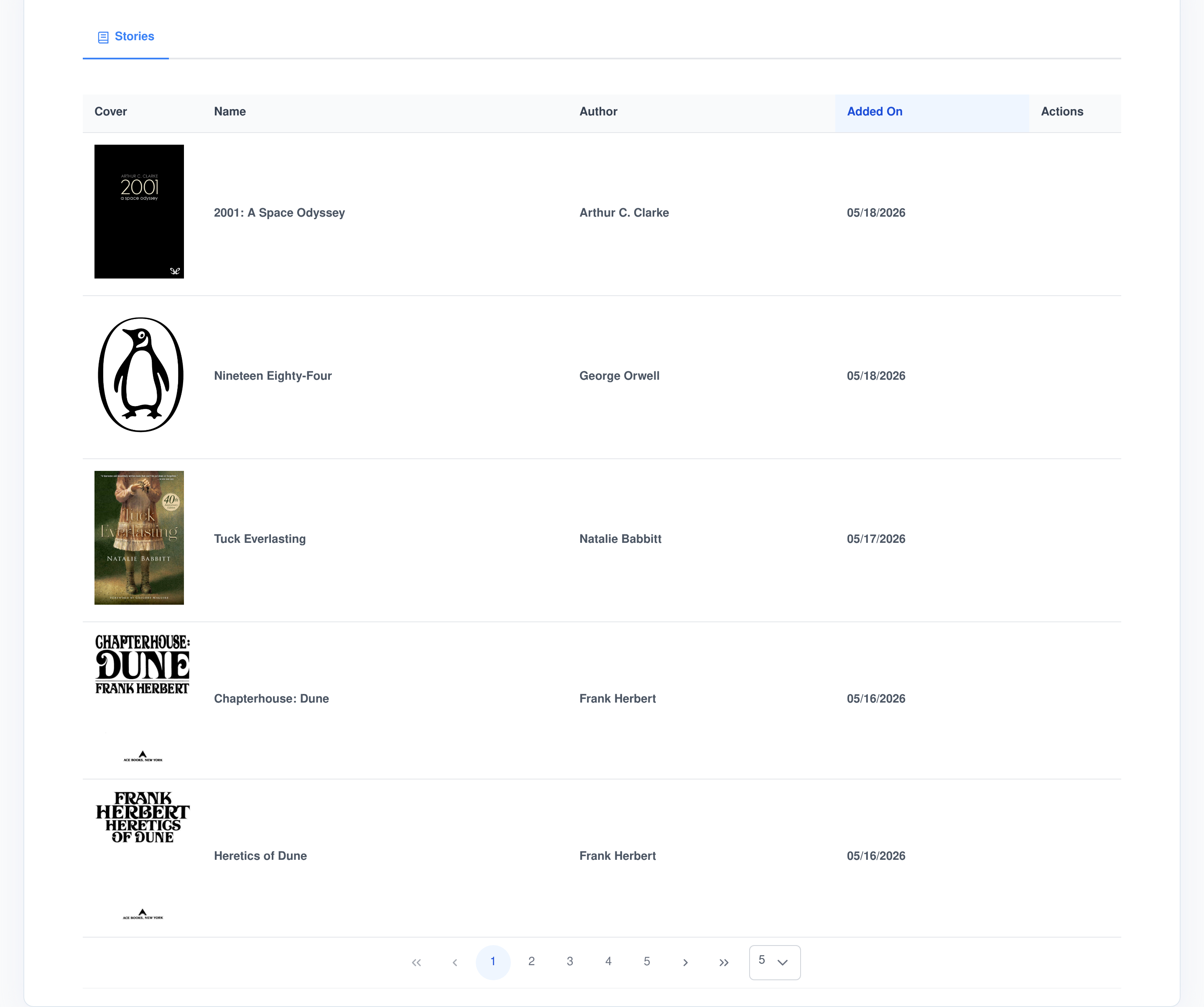
A shelf of stories, separate from the rest of your documents
The Story Analyzer is built on the Assistant Cortex Knowledge Base, so a novel is stored, split and indexed exactly like any other document — searchable, quotable and reachable by your agents. Its own screens simply show you the fiction, and what has been pulled out of it.
Three extractors, and what each one is asked for
Each extractor is a prompt with a defined output shape, run over one passage at a time and stored as structured data rather than as prose. All three ask for modern English regardless of how the novel is written, so a nineteenth-century book reads back plainly.
What gets pulled out
- Characters. Name, physical description, emotional state and personality — for everyone who appears in the passage, not just the leads.
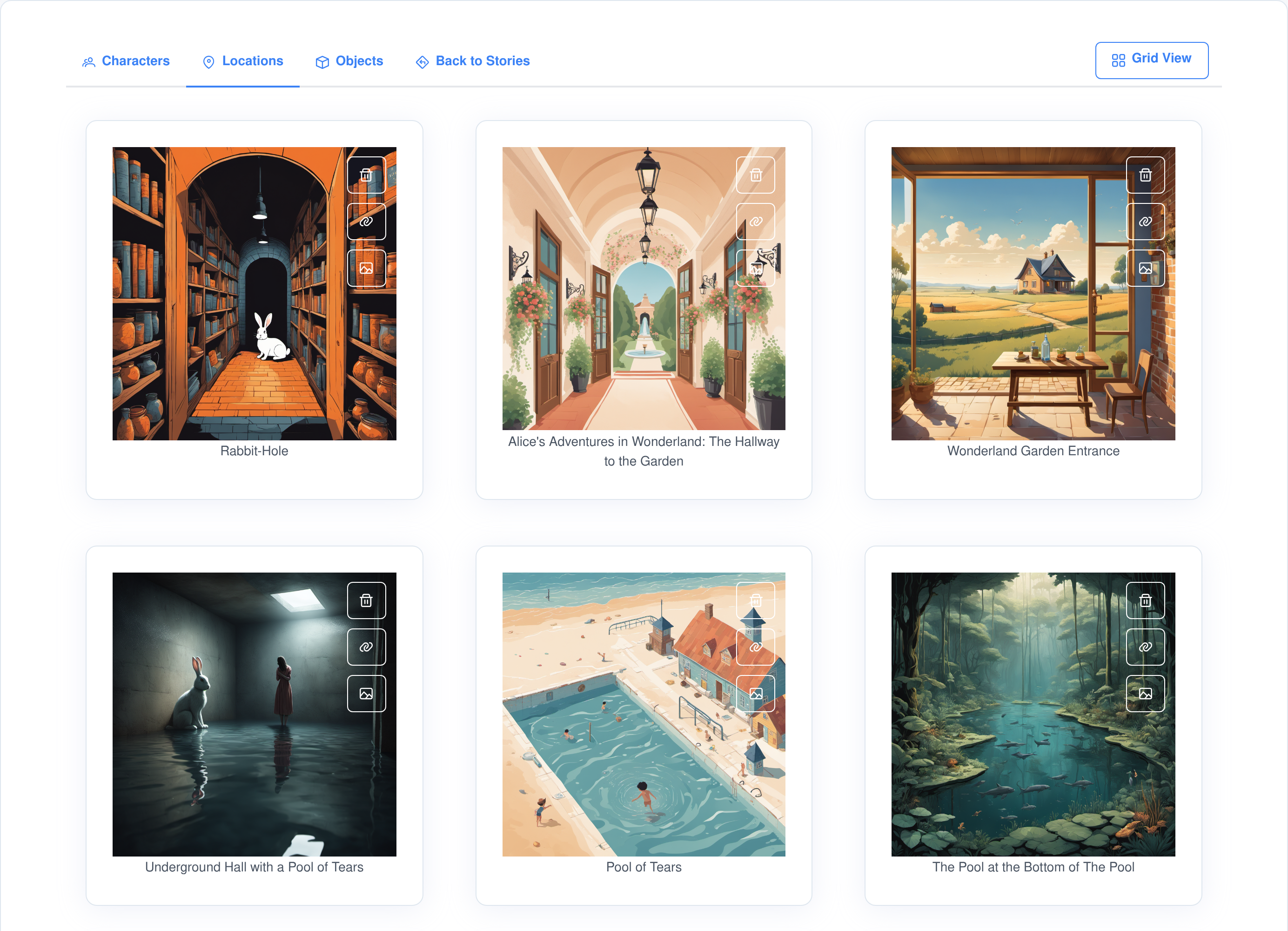
- Locations. Name, terrain and structures, plus an image prompt written to be handed straight to a diffusion model.
- Objects. Name, physical description and significance — items, artefacts, props, tools and possessions, with people, animals and buildings explicitly excluded.
What gets thrown away immediately
- Nameless entries. Anything the model returned without a name never reaches the database.
- Empty entries. A character with neither a physical nor a personality description, or an object with neither a description nor a stated significance, is dropped.
- Non-locations. “Unknown”, “None”, “Not applicable” and their variants are discarded, as is any passage shorter than 512 characters — too little text to describe a place from.
- Nothing else is pre-filtered. Everything that survives is kept for the refine stage to judge, so a minor character is not lost before you have seen it.
The whole cast, in one place, illustrated
After the refine pass, each character is one card: its portrait, its name, and buttons to edit it, delete it, repaint it, build it in 3D or turn it into an agent.
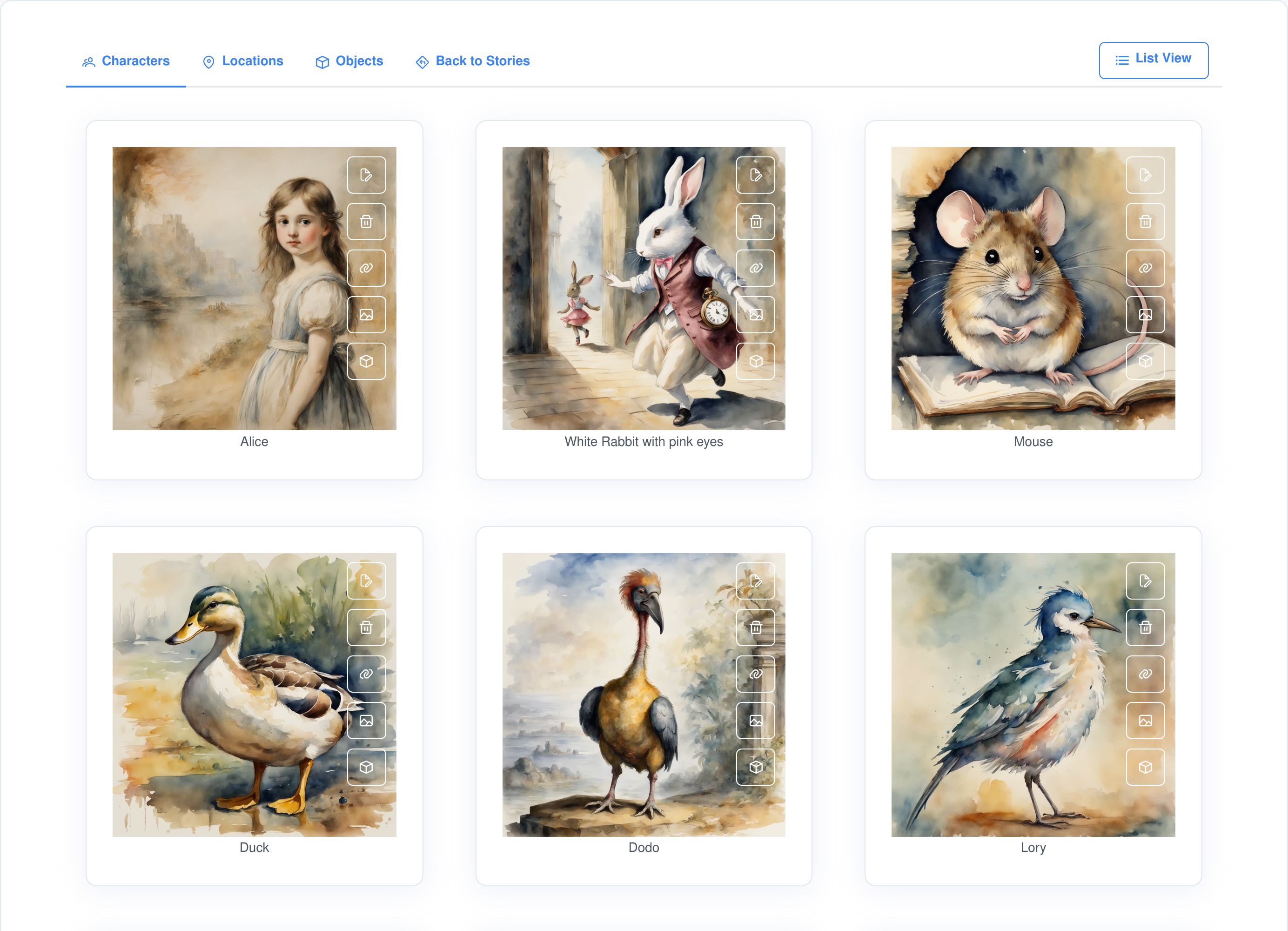
Grid or list
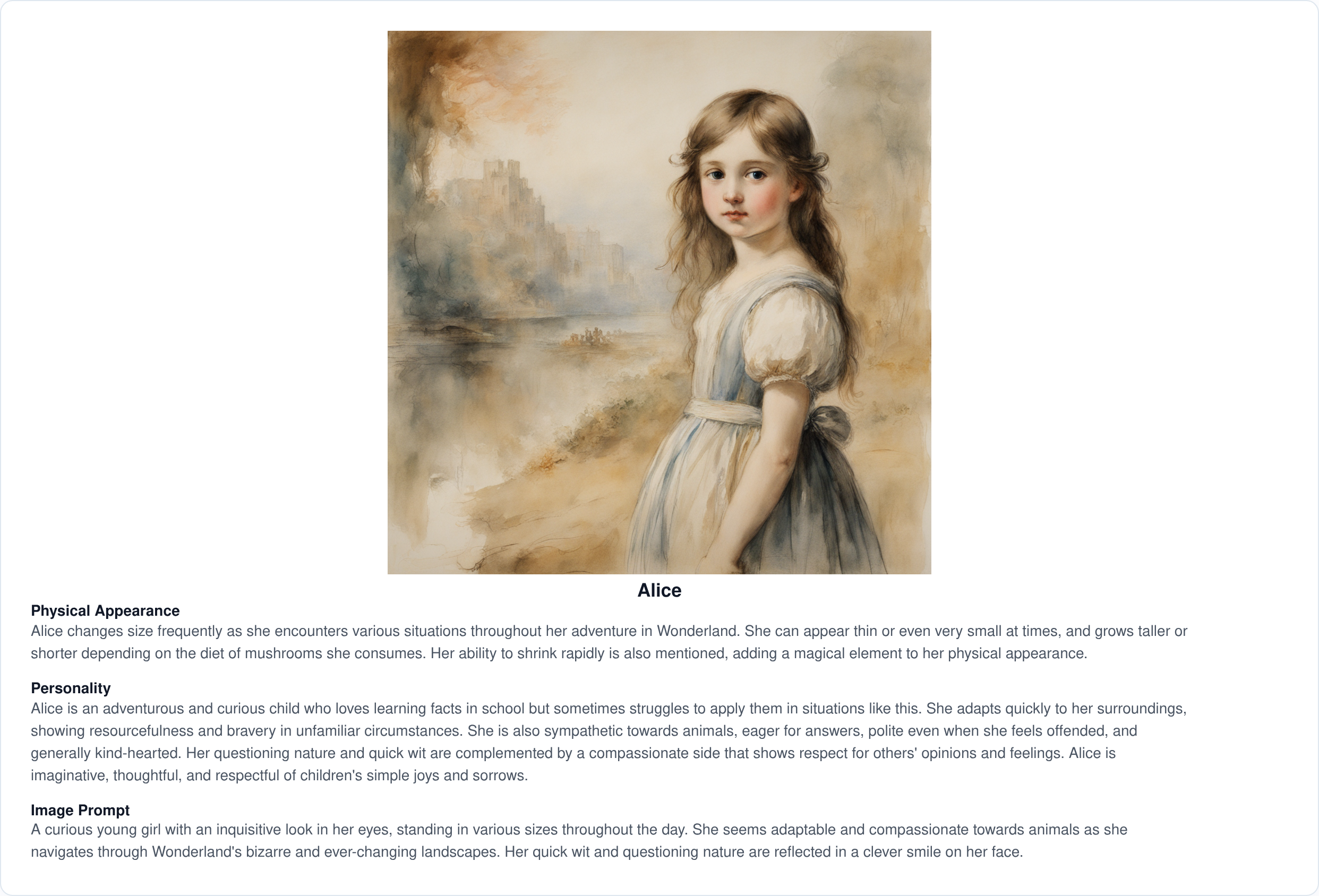
Switch between the portrait grid and a list that shows each entry’s full descriptions and the image prompt that produced its artwork.
Raw entries stay visible
Until you run Refine & Merge, the unprocessed per-passage extractions are listed below, so you can see the raw material the merge will work from.
Four progress bars
Extraction, refinement, artwork prompts and artwork images each report their own progress, so you always know which stage is running and can stop that one.
Refine & Merge is where the work actually happens
A novel does not name a character the same way twice. “Holmes”, “Sherlock Holmes” and “my friend” are the same man; a hundred passages each describe a different sliver of him. Refine & Merge is a multi-pass pipeline built to resolve exactly that, and it is the difference between a list of fragments and a cast list.
- Names are embedded and sorted by similarity before anything is merged, so near-identical names sit next to each other and the model is asked to compare candidates that plausibly match.
- Two alias passes. Batches of names go to a merge model in thinking mode, which reports which names are aliases of which. A name claiming six or more aliases is rejected — that is the model over-merging, not a character with many nicknames.
- Three cleanup passes remove the entries that are not really characters at all.
- Single sightings are dropped. A name that appears exactly once in the whole book is noise, not a character.
- Then everything is consolidated. Every physical and personality description a character ever received is combined into one coherent profile — plus an image prompt for its portrait.
- It resumes, it does not restart. Each source sighting is marked as processed once it has been folded in, so running it again picks up where it left off.
Objects go through the same pipeline with their own prompts, so “the golden cap” and “Golden Cap” end up as one prop with one description of what it is and what it does in the story.
Where the model gets it wrong, you fix it by hand
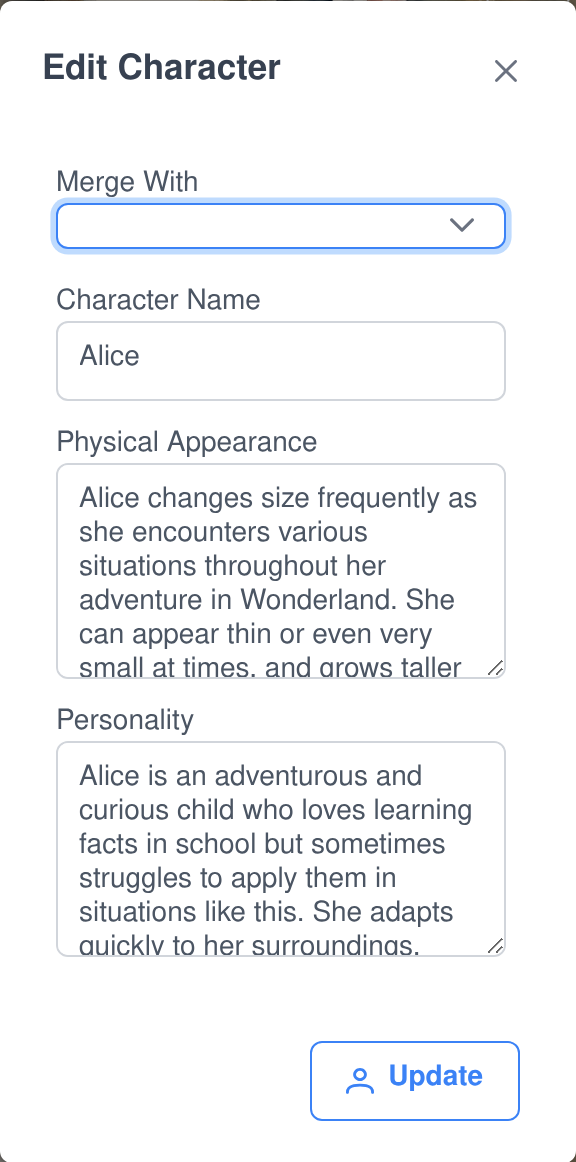
Automatic merging gets most of a book right and some of it wrong. Every entry stays editable afterwards, and the same dialog does both jobs.
- Edit the profile directly. Correct the name, the physical appearance or the personality in three plain text fields.
- Or merge two entries. Pick a target in “Merge With” and the fields grey out — you are no longer editing, you are combining. The two descriptions are written into one by the most capable reasoning model you have online.
- The loser is cleaned up. Merging deletes the source entry and removes its artwork file, so you do not end up with an orphaned portrait of a character that no longer exists.
- Delete outright. Anything that should never have been extracted goes with one button.
- Stop a run mid-flight. Refinement and artwork generation both check for cancellation between steps, so Stop actually stops rather than finishing the batch first.
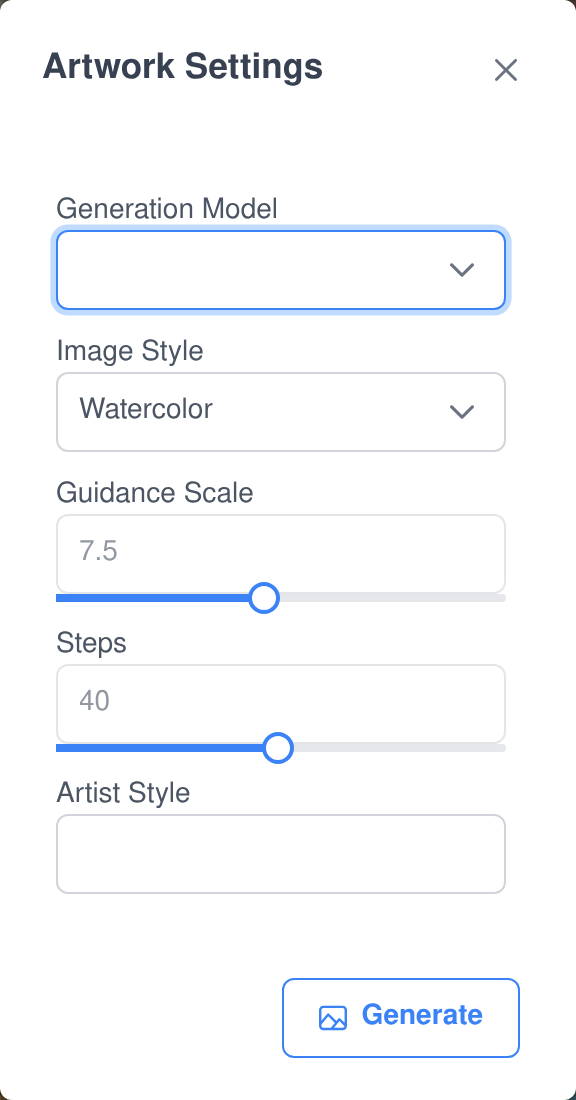
Artwork for the whole book, in a style you choose
Generate Art runs over every character, location or object that does not have a picture yet — and only those, so a second run fills the gaps instead of repainting the book.
- The prompt is rewritten first. Each entry’s image prompt goes through a reasoning model that folds in your chosen style and artist before it ever reaches the image model, so a whole cast comes back looking like one set of illustrations.
- Eighteen styles built in. Watercolor, Oil Painting, Acrylic, Ink Wash, Pastel, Charcoal Drawing, Pencil Sketch, Digital Art, Photography, Collage, Printmaking, Graffiti, Mosaic, Pixel Art, Vector Art, 3D Rendering, Concept Art and Anime/Manga — plus a free-text artist field.
- Guidance scale and steps are on sliders in the same dialog, so you are not choosing between a preset and an API call.
- Pictures appear as they finish. The queue writes each image back the moment it is done, rather than making you wait for the batch.
- Repaint any single entry. Regenerate opens the same dialog with the prompt itself editable, so you can fix one portrait without touching the rest.
- It will not stall on a missing model. If the image model you picked is offline, it falls back to the first one that is.
And then you can hold it in your hand
Any character or object with artwork can be turned into a 3D model. The illustration is first restyled into a clean, isolated object render on a white background — a painterly picture on a busy background does not convert well — and that render is passed to a 3D generator with texturing and background removal on. The result is a textured GLB you can spin in the browser with camera controls and AR, and download to use anywhere else.
Turn a character into an agent and talk to them
One button on a character card creates a real Assistant Cortex AI agent from that character — the same kind of agent you would otherwise write by hand, sitting in the same agent list, usable in any chat.
What it carries over
- The character’s name, exactly as the merge settled on it.
- A rewritten system prompt. The personality description is turned into a chat character profile by the most capable reasoning model you have online — not pasted in raw.
- Its portrait. The generated artwork is copied across as the agent’s character image.
- A capable model by default. The new agent is assigned the advanced reasoning model rather than whatever happened to be first in the list.
And what happens next
- One character, one agent. The agent records which character it came from, and a second attempt is refused rather than silently creating a duplicate.
- It is an ordinary agent from then on. Edit its prompt, change its model, give it abilities, or hand it a shelf of Knowledge Base documents — including the novel it came out of.
- Which means it can be asked about its own book. Point the agent at the source document and it answers from passages it can cite.
Controls, and what it is built on
Five separate permissions
- View stories — read the shelf and everything extracted from it.
- Refine & merge analysis — run the pipeline, and edit, merge or delete entries afterwards.
- Generate artwork — spend image-model time.
- Create 3D objects — spend 3D-model time.
- Convert character to agent — create agents from characters.
An extension, not a silo
- It has no database of its own. Stories are Knowledge Base documents and every extraction is a Knowledge Base analysis record, so ownership, deletion and data export are handled once, by the platform.
- Ownership is checked on every action. Refining, painting, merging, converting — each one re-checks that the document or entry belongs to the person asking.
- Every result records its cost. Each stored extraction carries the model that produced it and both its prompt and completion token counts.
- Your models, your choice. A refine run asks for a language model and an embedding model; artwork asks for an image model. Nothing is hard-wired to a vendor.
Frequently asked questions
What can I upload?
PDF, EPUB and plain text, uploaded through the Knowledge Base with the document type set to “Novel or Story”. That document type is what makes the character, location and object extractors available.
Do I have to run all three extractors?
No. Characters, locations and objects are independent, and so are the summary and question-and-answer extractions the Knowledge Base already offers. You tick what you want, passage by passage if you like.
What if the merge gets a character wrong?
Fix it. Every entry can be edited, deleted, or merged with another by hand from the same dialog, and a manual merge combines the two descriptions with the most capable reasoning model you have online.
Can I stop a refine or an artwork run part-way?
Yes. Both check for cancellation between steps, so Stop Refinement and Stop Generation break out of the run rather than letting the queued work finish first.
Will running Refine & Merge again redo the whole book?
No. Every per-passage sighting is marked as processed once it has been folded into a profile, so a second run only deals with what is new.
What do I need running to make 3D models?
An image generation model and a 3D model generator, both online, and the entry has to already have artwork — the 3D step builds from the picture, not from the text. If the exact models you asked for are not available it falls back to the first online generator of each type.
Is a converted character a real agent?
Yes — an ordinary Assistant Cortex agent, in the normal agent list, with a system prompt, a portrait and a model. You can edit it, give it abilities and point it at documents like any other.
Can my agents search the novels themselves?
Yes. Stories are ordinary Knowledge Base documents, so they are embedded and indexed like everything else and an agent given access can search them and quote the passage it used.
See what is actually in your favourite book
Upload one novel, run the extractors, press Refine & Merge, and look at the cast that comes back.